Turn customer questions into useful product descriptions
Use support questions and verified product attributes to rewrite a description. Follow a worked example and identify claims that still need supplier confirmation.
 By Dondo5 min read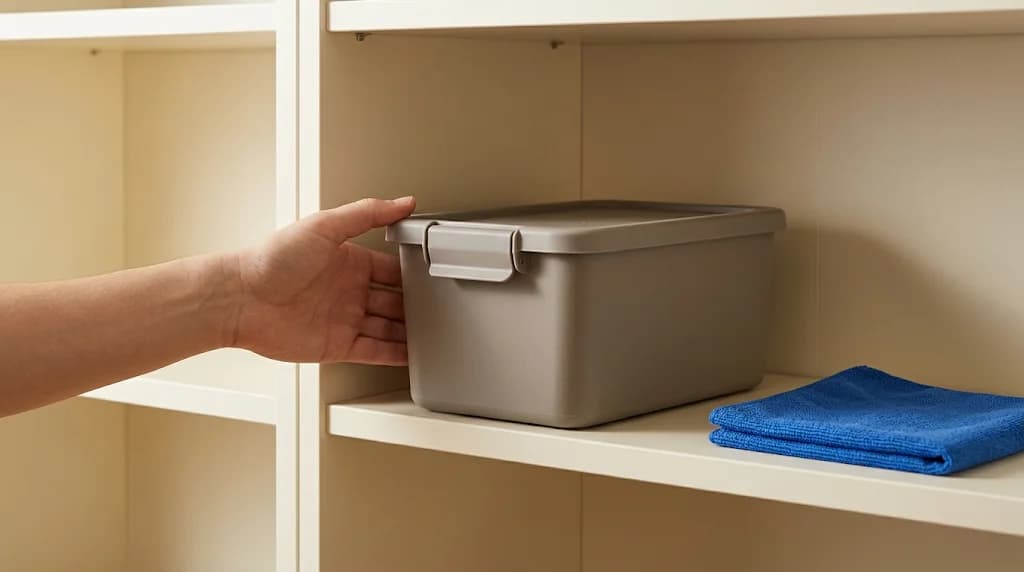
Your support inbox may contain a better opening for a product description than your last keyword list. “Can I put this on the bottom shelf?” tells you what a shopper needs to know. “Is it premium quality?” tells you much less about the decision.
Use those questions to choose which verified facts deserve space on the page. You can keep your brand’s voice while replacing broad promises with details a buyer can use.
The process below uses an illustrative storage-box example. The questions and specifications are invented for the exercise, not taken from a customer account.
Gather questions before opening the writing tool
Choose one product with enough recent questions to reveal a pattern. Read the relevant support messages, product Q&A, and return reasons your team is authorized to use. Record the question without customer names, order numbers, or private message details.
Keep the customer’s wording when it explains the decision. “Will two fit side by side on a 60 cm shelf?” is more useful than a note labeled “size concern.” But count the underlying issue rather than treating every message as a separate topic. Several versions of the same fit question may belong together.
Check which variant the question concerns. A lid sold separately can cause a different problem from a lid included with the larger box. Mixing those conversations could put the wrong package contents into both descriptions.
Pair each question with an answer you can prove
For the 12-liter storage box in our example, suppose the manufacturer’s current specification sheet confirms external dimensions of 30 by 20 by 24 cm. It also says the box includes one clip-on lid, can be stacked when closed, and should be wiped clean with a damp cloth.
Those facts support some answers. They leave others unresolved.
| Shopper question | Available evidence | Draft decision |
|---|---|---|
| Will it fit on my shelf? | External dimensions | State the measurements and ask buyers to check shelf clearance |
| Does the lid come with it? | Package contents | Say that one lid is included |
| Can I stack them? | Closed-box stacking instruction | Explain that boxes stack with lids attached |
| Can I put it in the dishwasher? | Damp-cloth care instruction only | Give the confirmed care instruction; ask the supplier before claiming dishwasher suitability |
| Is it safe for unpackaged food? | No applicable confirmation | Hold the food-contact claim |
Avoid filling the last two gaps from a product photograph or another seller’s description. Similar-looking boxes may use different materials or have different approved uses.
The Copywriter can do this for your store.
Rewrites titles, descriptions and bullets from what shoppers search.
Score my products freeRewrite the passage a customer would otherwise ask about
The original description reads:
Bring order to every room with our premium storage solution. Its durable design and generous capacity make it perfect for all your household needs. Enjoy convenient storage with a stylish finish.
The paragraph never tells a shopper whether the lid is included. It also stretches “all your household needs” beyond the available facts.
A draft using only the confirmed attributes reads:
Keep small household items together in this 12-liter storage box. The box measures 30 cm wide, 20 cm deep, and 24 cm high externally; check those measurements against your shelf before ordering.
One clip-on lid is included. Boxes can be stacked with their lids attached. Wipe the box clean with a damp cloth.
The revised version puts fit and package contents near the beginning because those are the questions in this exercise. It does not need to become a long FAQ. A short product paragraph and a dimensions section may be enough.
Use the product description optimization guide to review how those sections fit with the rest of the page.
Before using that draft, a merchant would still check whether the listed height includes the lid. If the specification sheet is unclear, resolve it before publishing a fit claim. Even a careful rewrite can expose a question the original data never answered.
Use brand voice after the facts are settled
A home organization brand might prefer “Keep craft supplies together.” A trade supplier might prefer “For organizing small workshop items.” Either version needs support for any additional use it implies. Brand context should guide phrasing and emphasis without creating new product properties.
If your team uses different instructions for each draft, start with a shared brand voice guide.
Give a writing tool the approved facts and the questions you want answered. Add explicit exclusions, such as “Food-contact suitability has not been confirmed; do not claim it.” Review the output for implied promises as well as exact wording. “Ready for meal prep” can imply food suitability even if the word “food-safe” never appears.
Give SEO and AI search work a specific purpose in this example: make it possible to answer a shelf-fit question from the product page. The dimensions and included lid are the evidence. Repeating “storage box for shelves” in several headings would leave the measurement question unanswered.
Review the draft in Dondo, then check the destination
Dondo’s Copywriter uses product facts, brand voice, and buyer context to draft titles, descriptions, and supported SEO fields, as outlined in the Dondo FAQ. Correct the brand and buyer suggestions against what your team knows. They are not a substitute for the support questions you collected.
Compare each proposed sentence with the source product information. Edit anything that changes the variant, package contents, care instruction, or meaning of a limitation. Approval is your decision about the draft; publication is a separate step through the option supported by your platform.
After publishing or applying an export, open the product page as a shopper. Select the relevant variant and confirm the revised description appears where expected. Ask support to note whether the same fit question continues, while recognizing that a quiet inbox alone cannot prove the description caused a change.
Bring one frequently asked product question to Dondo’s listing workflow. Start with the initial free Analyst scan, then check pricing for the paid Expert work you want to request. Keep the verified answer beside you when you review the draft.
The Copywriter can do this for your store.
Rewrites titles, descriptions and bullets from what shoppers search.
Score my products freeSources and review
- Frequently asked questions · Dondo · 2026-10-20
Draft and review product descriptions
Explore the solutionRelated Posts
 Ecommerce and Dropshipping Guide
Product description optimization guide
A practical, evidence-backed guide to product description optimization guide.
2 min read
 Ecommerce and Dropshipping Guide
How to build an effective brand voice guide (with examples)
Learn how to build a strong brand voice guide, with practical examples and tips to scale it using AI.
4 min read
 Ecommerce and Dropshipping Guide
How to adapt one product for different sales channels
Keep one verified set of product facts while adapting titles, descriptions, attributes, and images for each store or marketplace. Follow a worked example.
5 min read
 Ecommerce and Dropshipping Guide
How to choose your first products to improve with Dondo
Turn your first Analyst findings into a manageable product group. Weigh business importance, verified content gaps, stock, and facts you still need to confirm.
5 min read