Turn a product photo into a listing draft.
Image to listing: the Copywriter drafts the title, description and keywords from one product photo, and saves a draft.
Free score from the Analyst. Nothing changes until you approve it.
Part of your Copywriter's job
Written in your brand voice, from the Brand strategist’s brief.
What you get
- A draft from one product photo
- Title, description and keywords
- Details to check before you publish
Image to listing, from one product photo
Draft from one photo
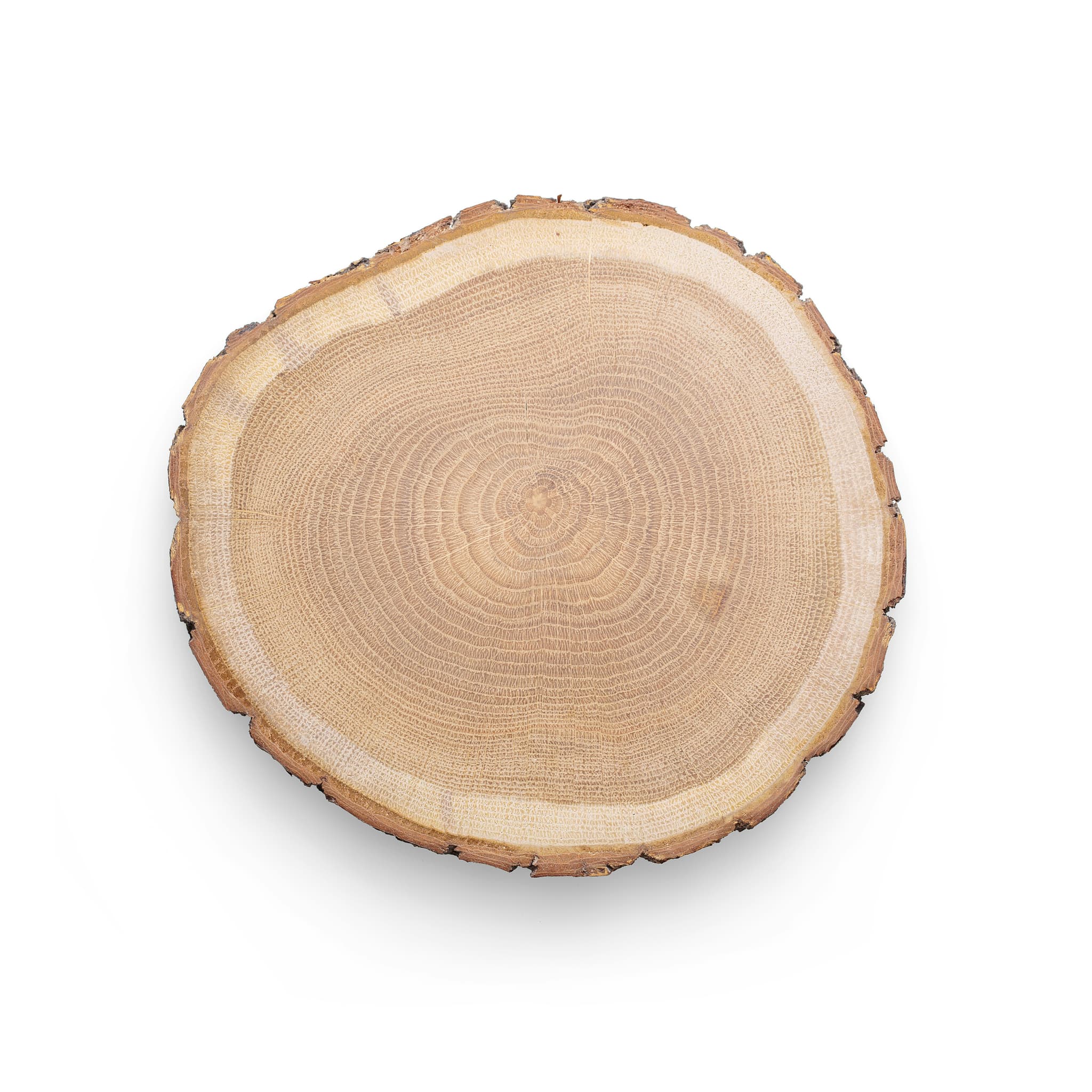
The draft
Round Wood Serving Board for Cheese and Bread
A round wood serving board for cheese and bread. Natural wood, so each one is a little different. Hand wash only.
- Round natural wood slice
- Each board is a little different
Confirm before you publish
- exact size
- wood type
- hand-wash care
How image to listing works
Start with one product photo
Pick the photo already on a product. The Copywriter reads what is visible in it, such as the product type, color and shape.
A draft you can check
It drafts a title, description and keywords, plus the other supported fields, and saves them as a draft. Nothing is published.
Confirm the facts
A photo can’t show measurements, hidden materials or compatibility. Check specifications and other product facts before you publish.
In the store’s voice
The draft is written from the buyer brief, so a new product reads like the rest of the catalog.
Which products to start with
Start with products that have a photo and little else: a thin title, no description, no bullet points. The Analyst’s score shows which ones those are.
What a product photo can and can’t tell the draft
A photo shows how a product looks, not everything about it. The Copywriter drafts from what is visible, and you confirm the rest.
| In the photo | Drafted from it | You confirm |
|---|---|---|
| Product type | Title and keywords. | The exact product name and model. |
| Color and finish | Title, description and keywords. | The color name you sell it under. |
| Shape and visible features | Description and bullet points. | That each feature works as the draft says. |
| Size, materials, compatibility | Not drafted from the photo. | Measurements, materials, compatibility and other specifications. |
Worked example: a mug with one photo and no copy
A store has a photo of a matte green ceramic mug with a handle, and a title that just says “mug”. The Copywriter drafts a title that names the type, color and finish, a description of what the photo shows and keywords such as “green ceramic mug”. It can’t see the capacity or whether the mug is dishwasher safe, so those are left for you to add before you publish.
How to review a draft from a photo
Read the title against the product in your hand, then check every number and material claim. Keep what is accurate, edit the rest and approve. Nothing is published until you approve it.
Where it helps most
New products that arrive with a photo and little else, and older products whose listings are a single line. The Analyst’s score shows which products those are, so you can start there.
Common questions
Copywriter
Where does it publish what I approve?
Publishes to Shopify, Mercado Libre, Tiendanube, WooCommerce, Amazon, PrestaShop, and Square. Mercado Libre and Amazon: existing listings only. VTEX: a CSV. BigCommerce connection, catalog import and the initial free score are in beta. Register interest while compatibility is verified. BigCommerce file export is in beta; Dondo does not publish directly to BigCommerce. Other stores: a product file.
What is image to listing?
A way to start a product listing from a photo. The Copywriter drafts the text, and you confirm it before it goes anywhere.
Which products should I start with?
Products that have a photo and little else. The Analyst’s score shows which listings are thin, and the weakest come first.
What does it draft from a photo?
A title, description and keywords, plus other supported fields.
Can I trust the details it drafts?
Check them. A photo shows only what's visible, so confirm specifications and other product facts before you publish.
Can I edit the draft?
Yes. Review it, correct what the photo couldn’t show, and approve it when it’s right. Nothing is published before that.
Will the draft sound like my store?
Yes. It is written from the buyer brief, in the words the store already uses.
Does it publish on its own?
No. The draft waits for your approval.
What does it cost?
Each store gets one initial free Analyst scan of up to 500 connected products. The Copywriter comes in the team plan or as a one-time 1-week pass, priced by the plan that covers the products across your account.