We'll walk you through how to use Dondo, step by step
Learn how to get started with Dondo and optimize your listings in minutes with our step-by-step guide.
 By Dondo3 min read
Step-by-step guide to getting started with Dondo
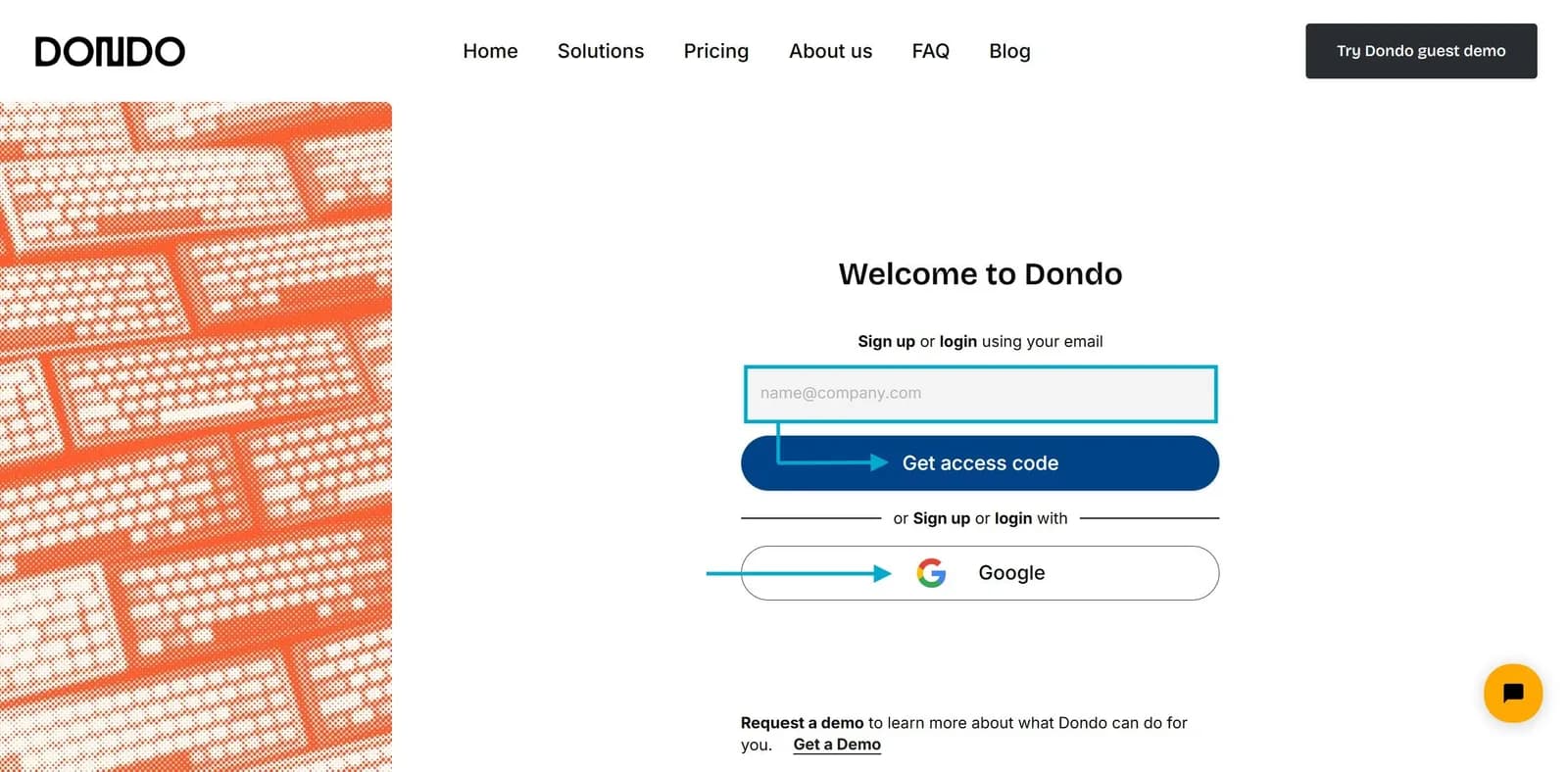
1. Sign-up
Getting started with Dondo is simple:
- Type your company or personal email address.
- Enter the One Time Password (OTP) you received in your inbox.
- Or you can sign up with your Google account.
The process is quick, ensuring you’re set up and ready to optimize in no time.
2. Connect your online store
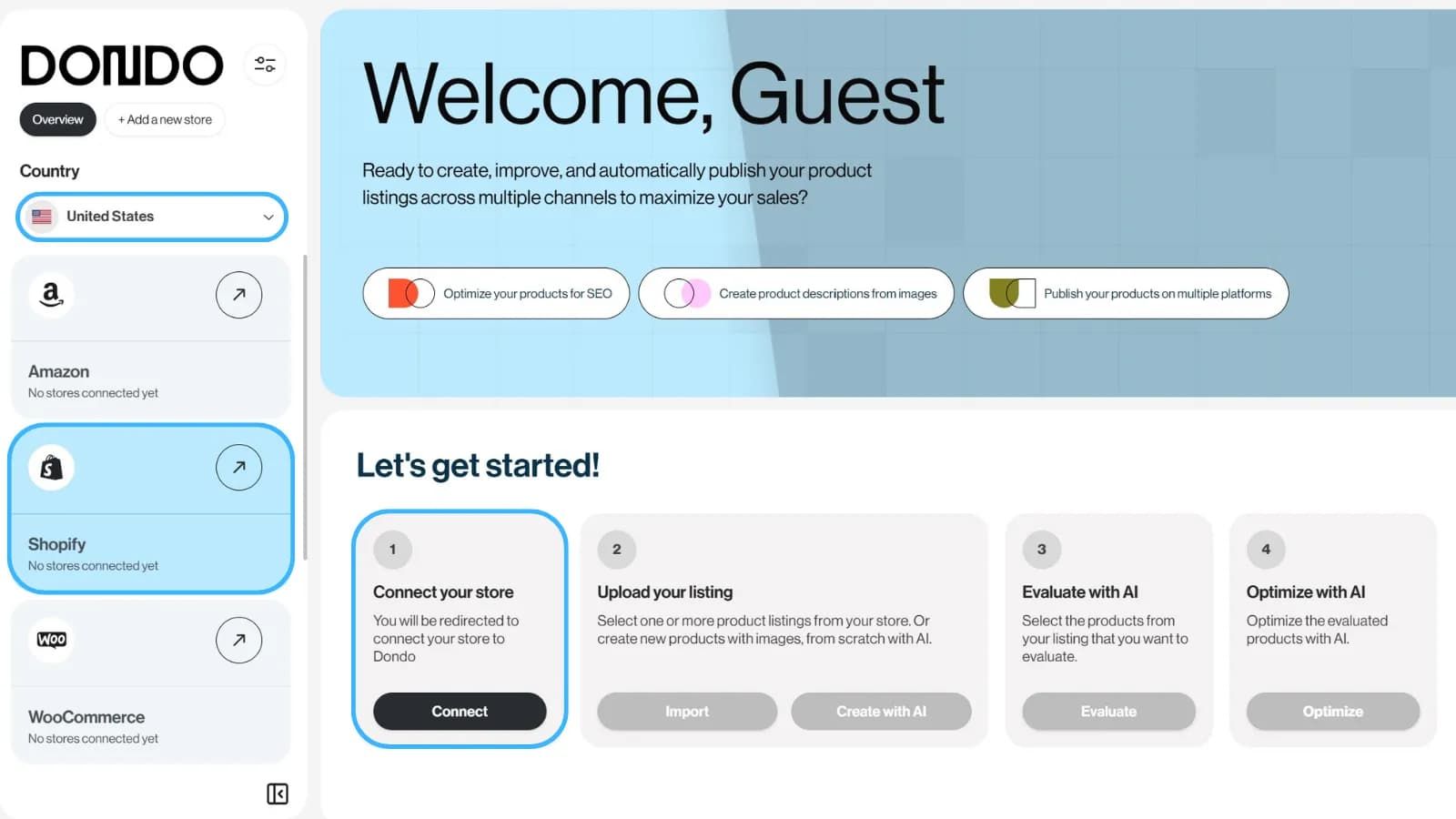
After signing up, connect your online store(s):
- Select the country of the store you're connecting.
- Choose your store's platform: Shopify, WooCommerce, Amazon, or MercadoLibre.
- Click Connect.
Please note:
☑️ Dondo integrates with Shopify, Amazon, WooCommerce and MercadoLibre.
⚠️ You can only connect one Shopify store to your account.
☑️ You can connect multiple WooCommerce, Amazon, and MercadoLibre stores to your account.
☑️ If you manage your listings offline, you can upload them via CSV file.
3. Import your listings
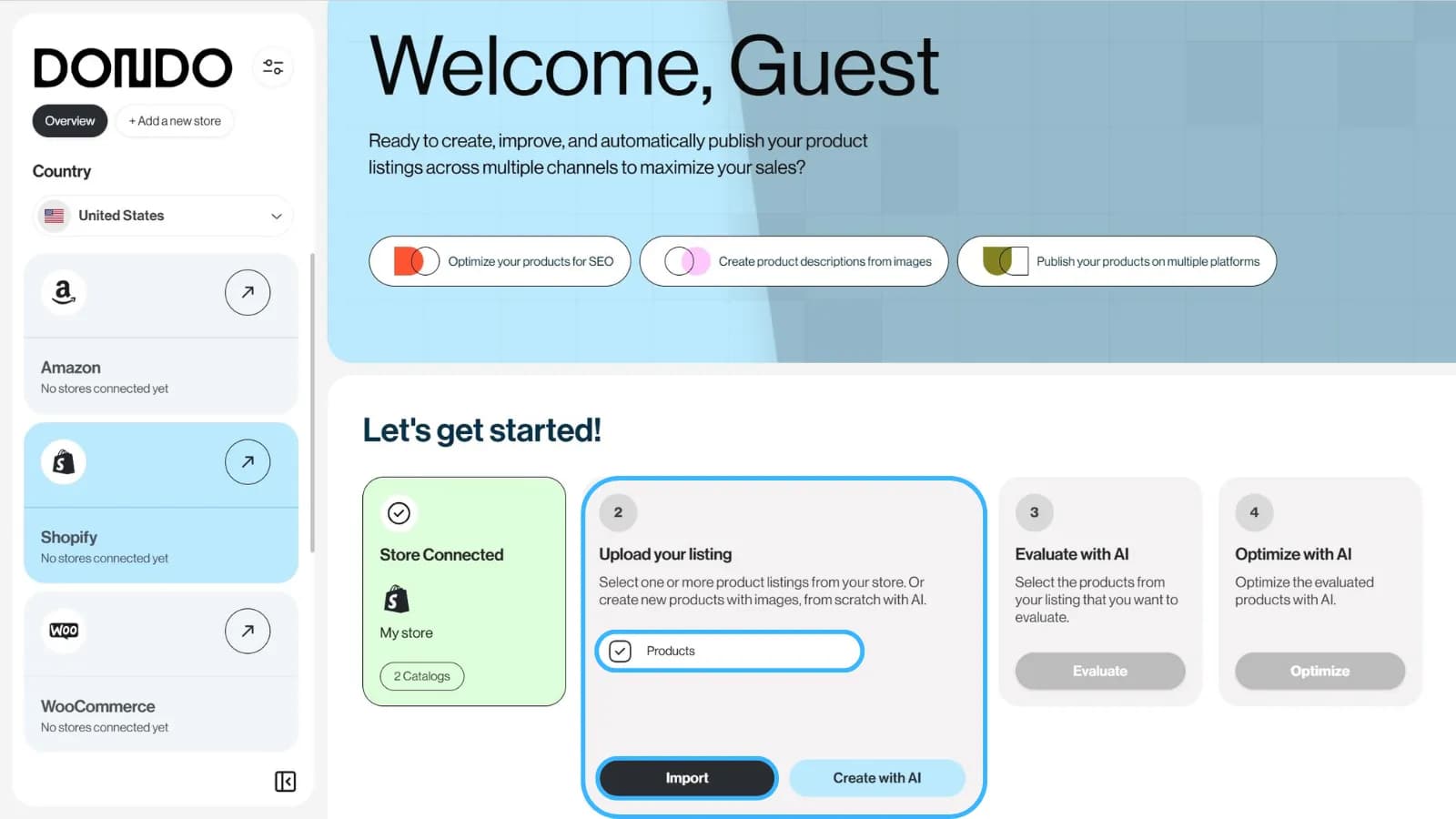
Once your store is connected, import your product listings into Dondo. This process is automated and ensures all your current inventory is ready for analysis.
The Analyst can do this for your store.
Analyzes 10 areas and highlights the listings that need attention.
Free, up to 500 products
Score my products free4. Select products to analyze
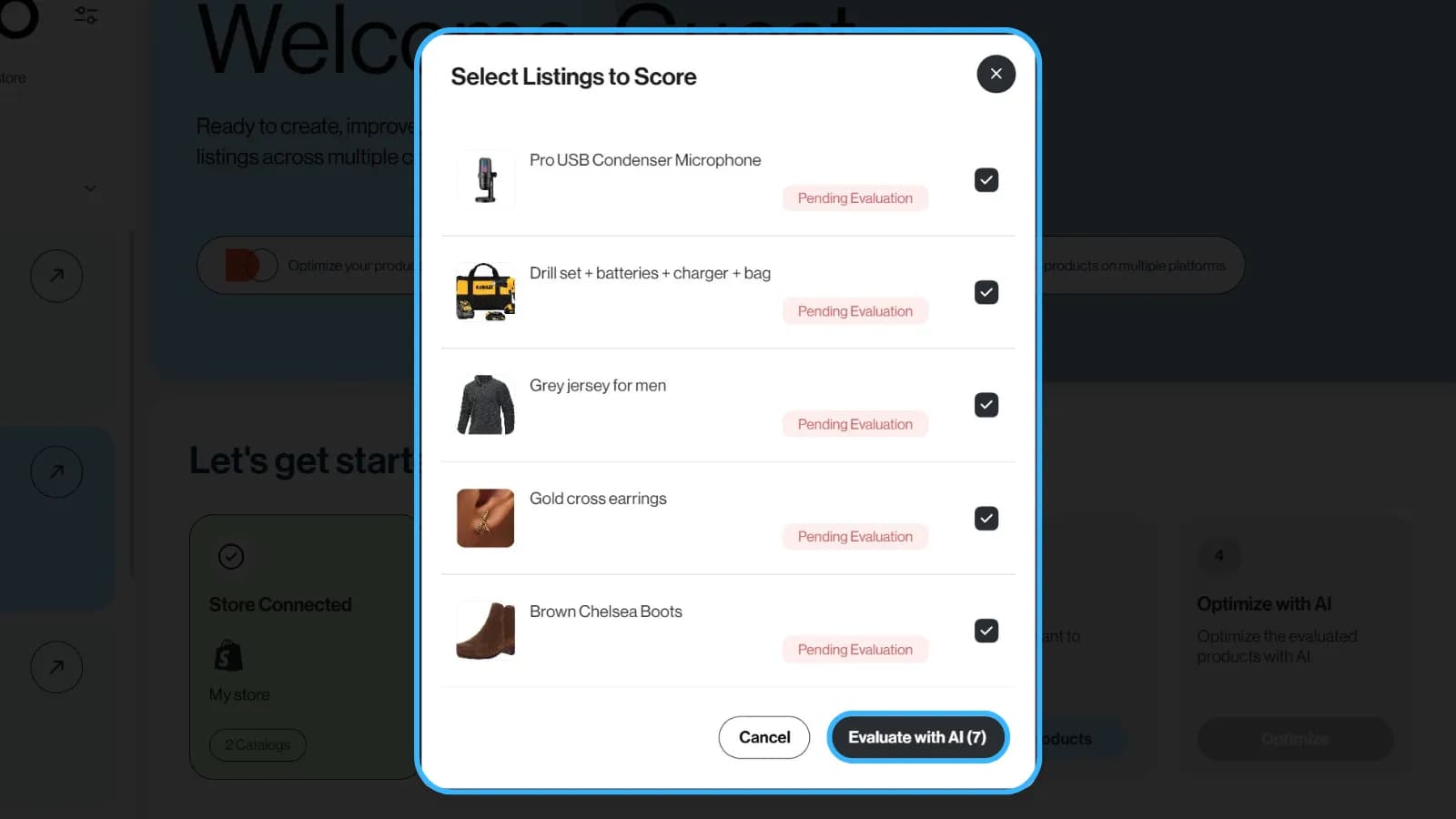
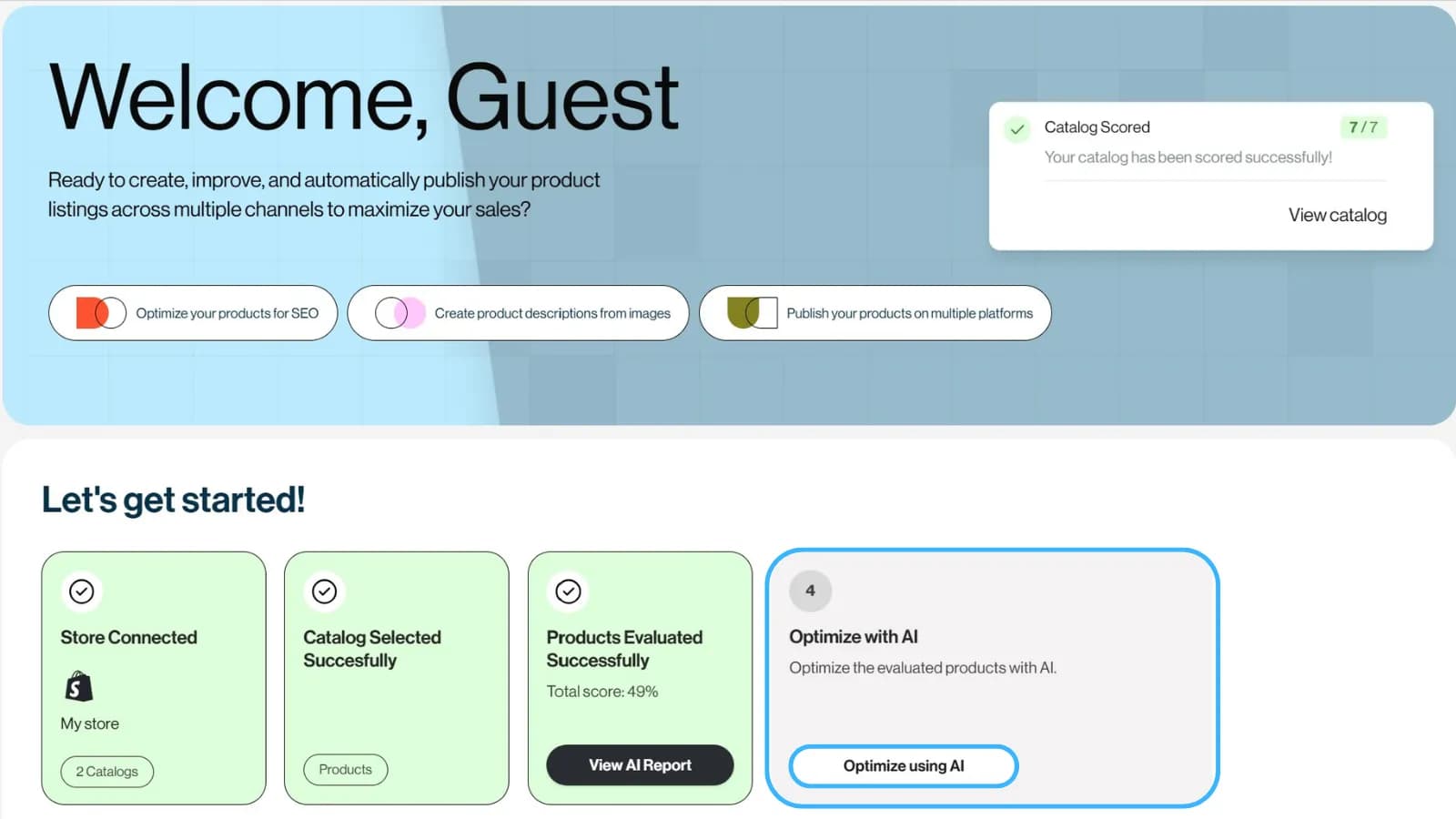
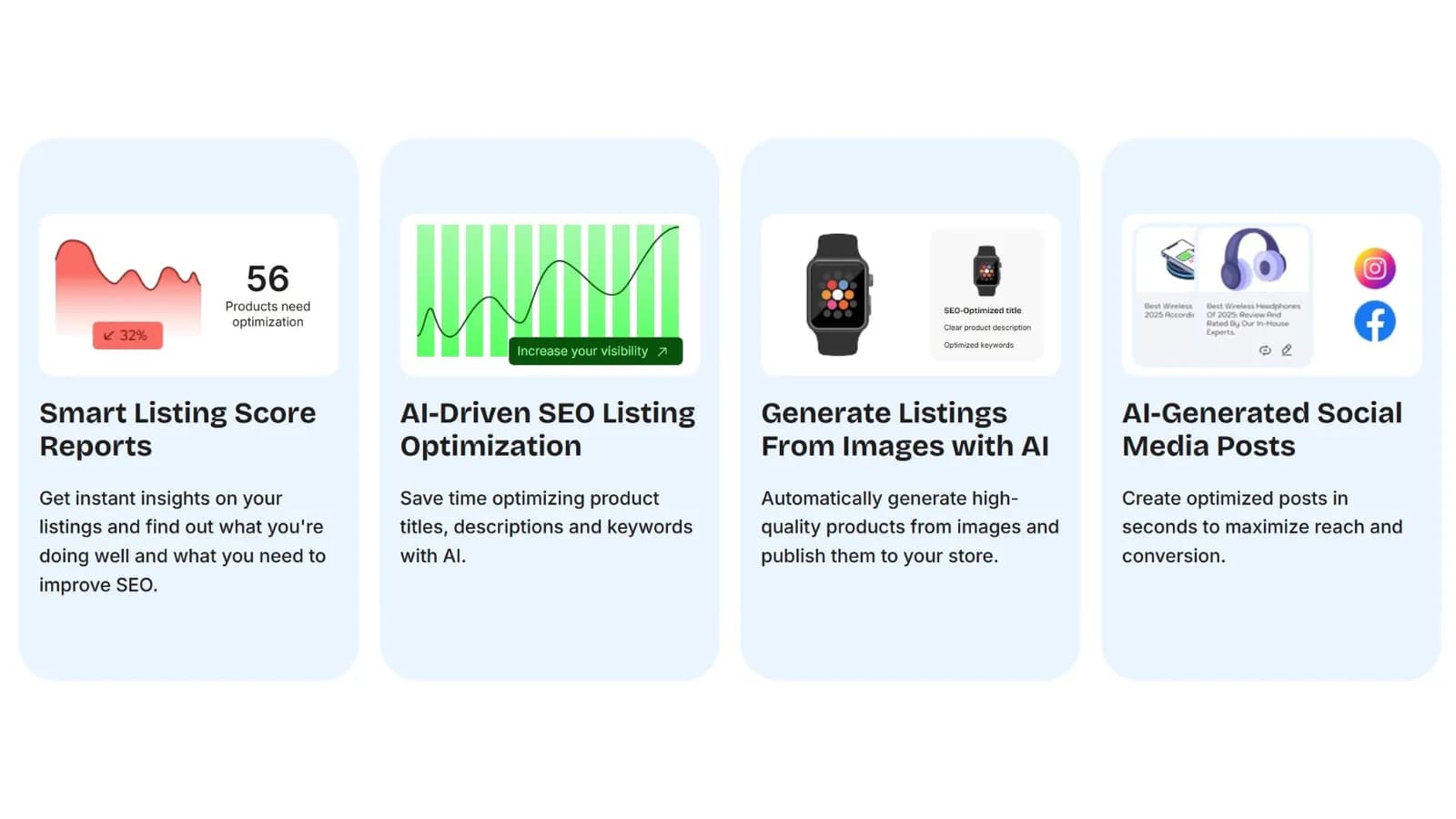
Choose the listings you want to analyze. Dondo provides a comprehensive score report for each listing, evaluating:
- SEO Performance
- Product Titles
- Descriptions
- Calls-to-Action (CTAs)
- Bullet Points
- Images
You'll receive personalized recommendations on how to improve every aspect of your products to increase visibility and conversions.
5. Optimize your products
Optimize your listings using Dondo’s automated tools. If you prefer a hands-on approach, you can manually adjust products based on our recommendations, although automation will save you a significant amount of time.
Our artificial intelligence will improve the following aspects of your products in minutes (you can do this in batches):
- Product titles
- Descriptions
- Meta-titles
- Meta-descriptions
- Product specifications
- Keywords
Please note:
✨ Dondo doesn't create generic product content. Our AI generates personalized content that is consistent with your brand voice. To do this, we take your store data, analyze your target audience, and your communication style to generate SEO-optimized titles and descriptions that are unique to your store.
6. Export back to your store
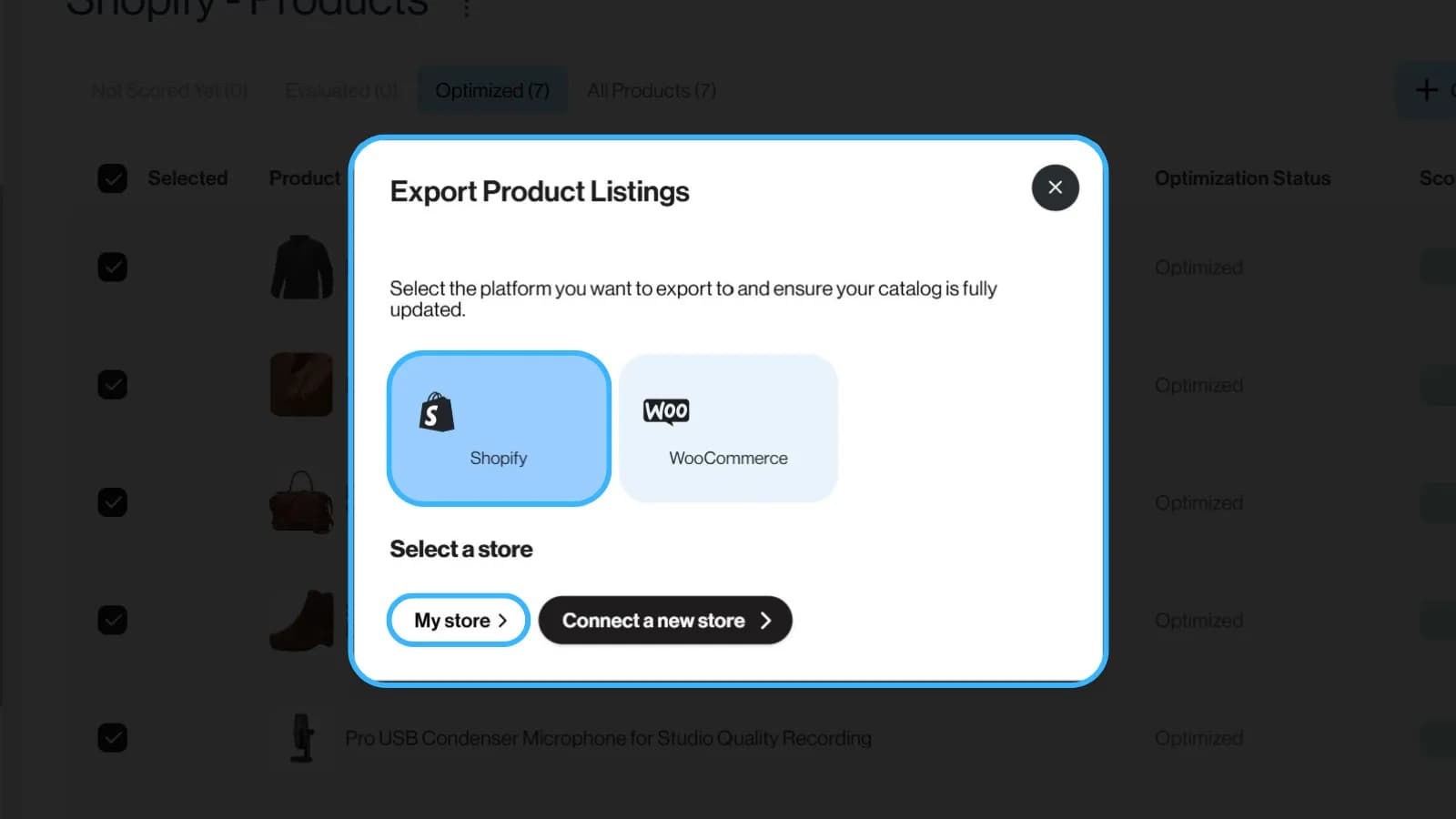
After reviewing and approving the drafts, use the publication or export option supported by your connection. Available fields and destinations vary; a connection does not provide unlimited publishing across platforms. VTEX uses file export rather than direct publication. Check the current FAQ and Pricing before requesting paid Expert work.
Additional features to enhance your e-commerce strategy
- ✔ Generate Listings from Images: Upload product images, and Dondo will create complete listings, including SEO-friendly titles and descriptions.
- ✔ Create Social Media Posts: Dondo generates Instagram and Facebook posts tailored for your products, including optimal posting time recommendations.
Why choose Dondo?
- ✅ Supported publication and export: Check the available actions for your connection and verify the destination after applying reviewed changes.
🚀 Get started with Dondo today to save time, boost conversions, and take your ecommerce business to the next level.
The Analyst can do this for your store.
Analyzes 10 areas and highlights the listings that need attention.
Free, up to 500 products
Score my products freeRelated Posts
 Why choose Dondo?
Meet Dondo: product SEO, AI search and photos you review
Get to know Dondo’s Analyst, Copywriter, Photographer and Social Manager through one product, from missing facts to reviewed copy and photos.
6 min read
 Why choose Dondo?
Helium 10 vs Dondo: Amazon Listings and Catalog Work
Compare Helium 10 and Dondo by keyword research, listing drafts, catalog review and supported channels. A practical workflow comparison.
2 min read
 Why choose Dondo?
Jungle Scout vs Dondo: Amazon Listings and Catalog Work
Compare Jungle Scout and Dondo by keyword research, listing drafts, catalog review and supported channels. A practical workflow comparison.
2 min read
 Why choose Dondo?
Dondo vs Yoast SEO: Which is best for your Shopify store?
We compare Dondo and Yoast SEO to see which app is the right choice for your Shopify store.
4 min read