Create every product image your store needs with Dondo Studio
Generate product, lifestyle, social, and ad images in seconds using Studio, Dondo’s new all-in-one image generation tool.
 By Dondo4 min read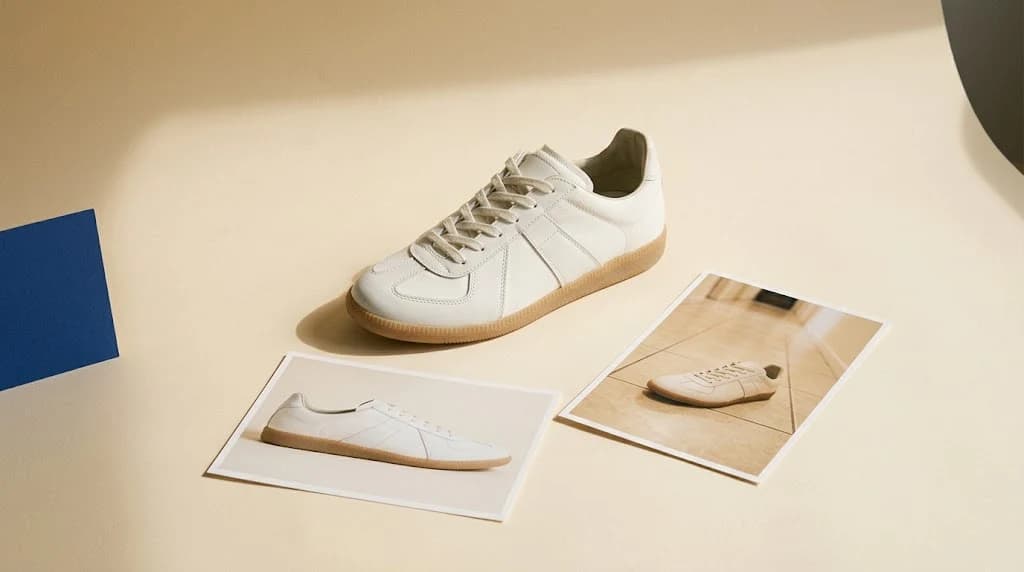
Introducing Studio: our new AI product image generation tool
Product visuals shape how customers perceive your brand, decide what to click on, and ultimately choose what to buy.
To help stores build stronger, more consistent visual identities, we’re excited to introduce Studio, a new feature inside Dondo that lets you generate all the images your products need in one place. From clean studio shots to lifestyle scenes, social media content, and ads, our Studio makes it simple to bring your brand to life.
Types of images you can create with Studio
Studio images
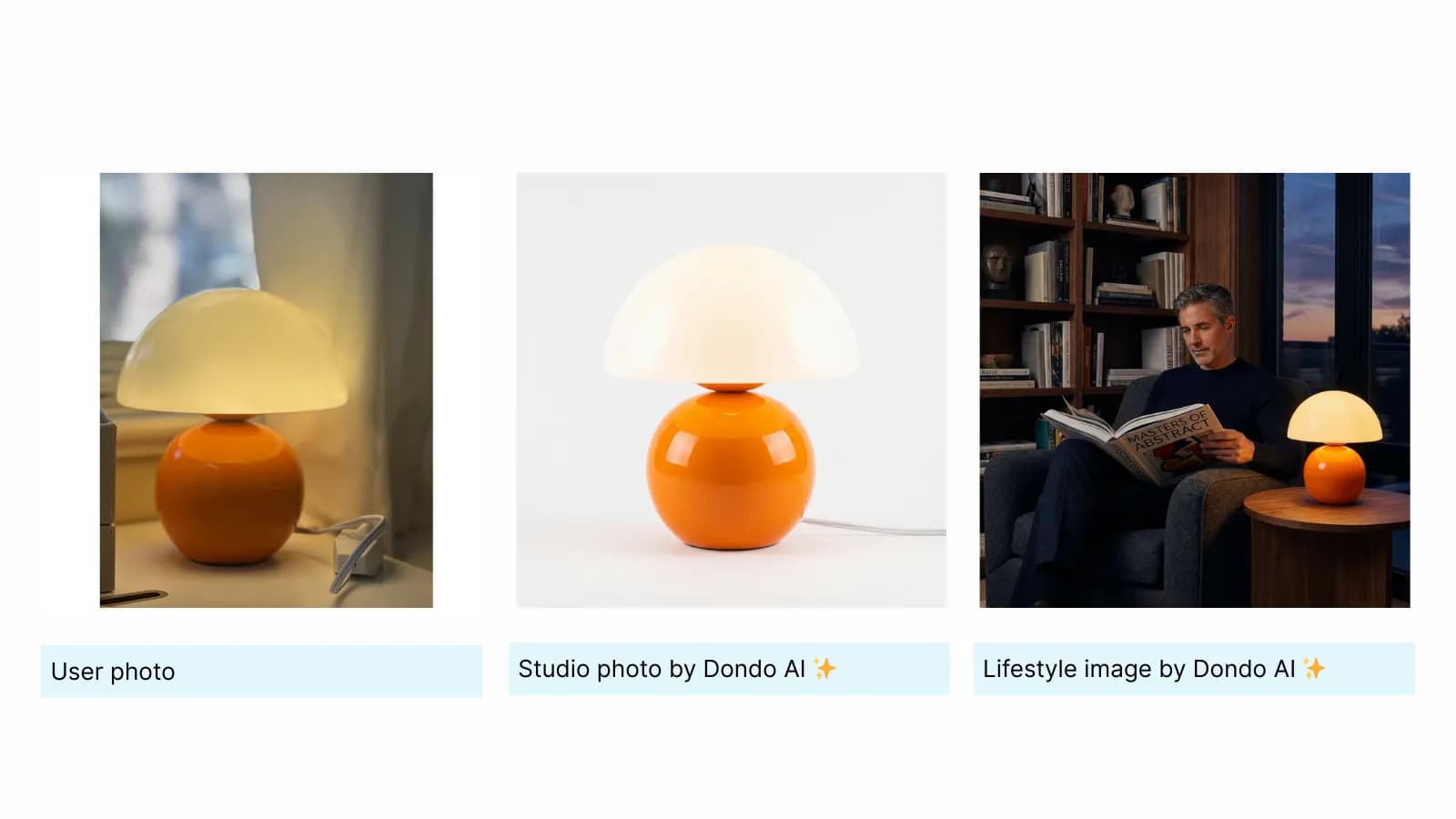
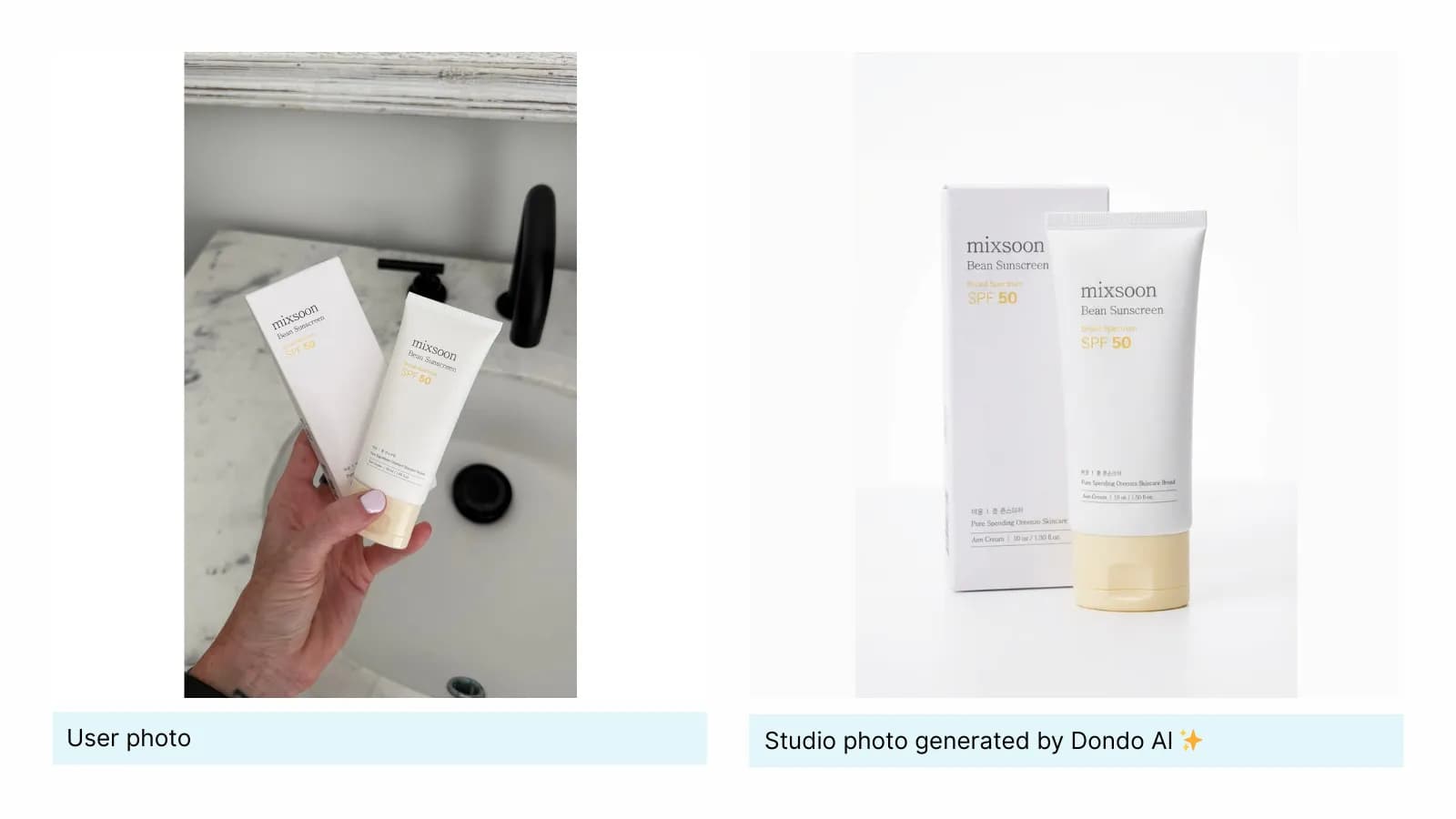
- Studio images are clean, well-lit product shots that highlight your item from several angles without distractions. They give shoppers a clear and accurate view of what they’re buying, helping them understand details like shape, texture, and materials.
- They also create visual consistency across your catalog, which builds trust and improves the shopping experience.
- Dondo generates high-quality and consistent studio images so your products and store look polished and professional from the very first glance.
■ How to use them:
Use studio images as the main visuals on your product pages, for thumbnails, for variant photos, and on any marketplace where clean backgrounds deliver better performance.
👉 Learn more about creating studio photos with Dondo
Lifestyle images
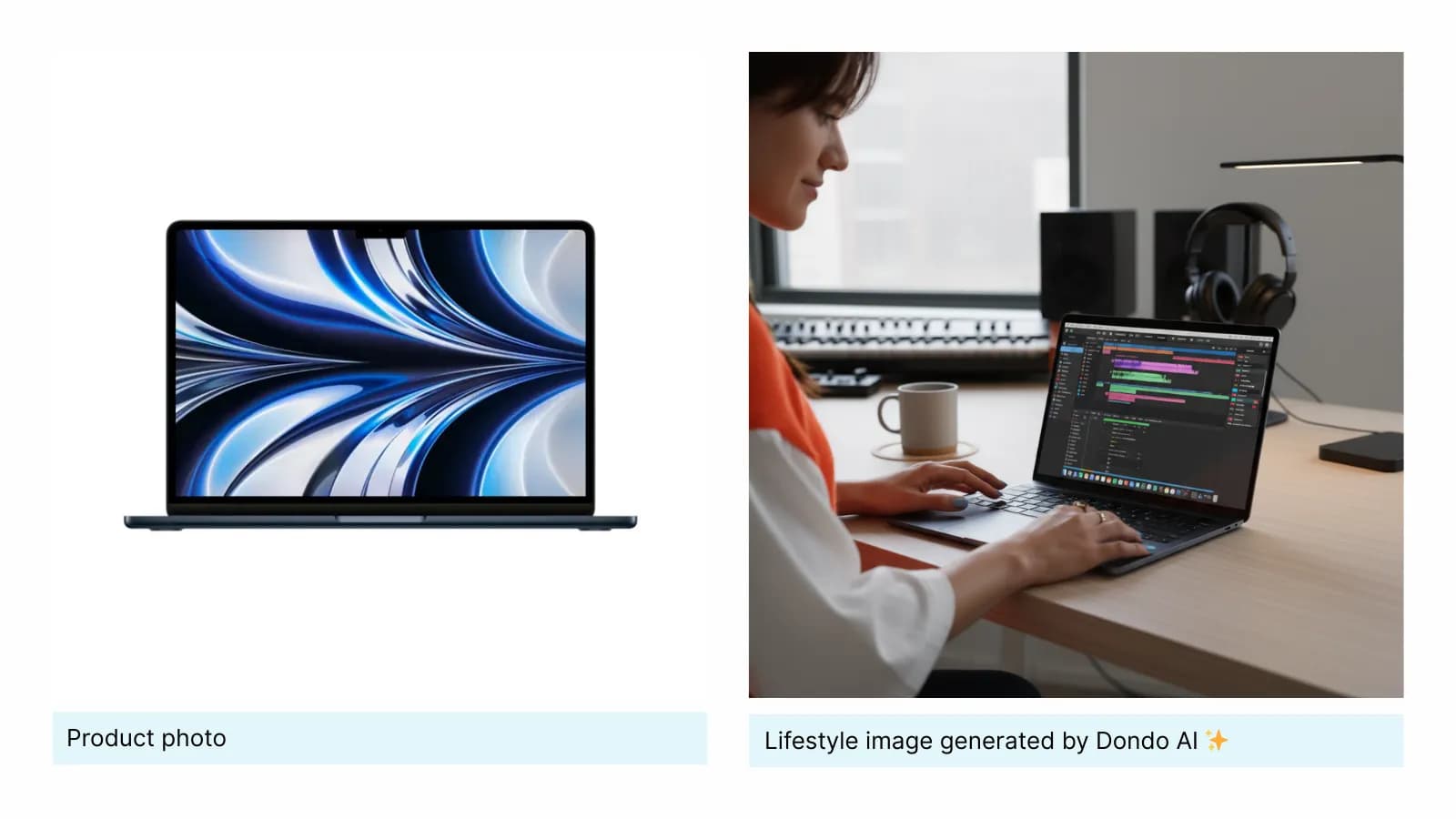
- Lifestyle images place your product in everyday environments being worn, used, or showcased naturally.
- They help shoppers understand scale, fit, and use cases, while also helping them picture the product in their own lives. These contextual visuals often influence buying decisions more strongly than technical descriptions.
- With our Studio you can create lifestyle images that match your brand aesthetic and audience preferences, producing visuals that feel authentic and aligned with your store’s style.
■ How to use them:
Use lifestyle images as supporting visuals on your product pages, in banners or category headers, inside email campaigns, and across your social media to add warmth and personality.
👉 Read more about lifestyle images
Social media images
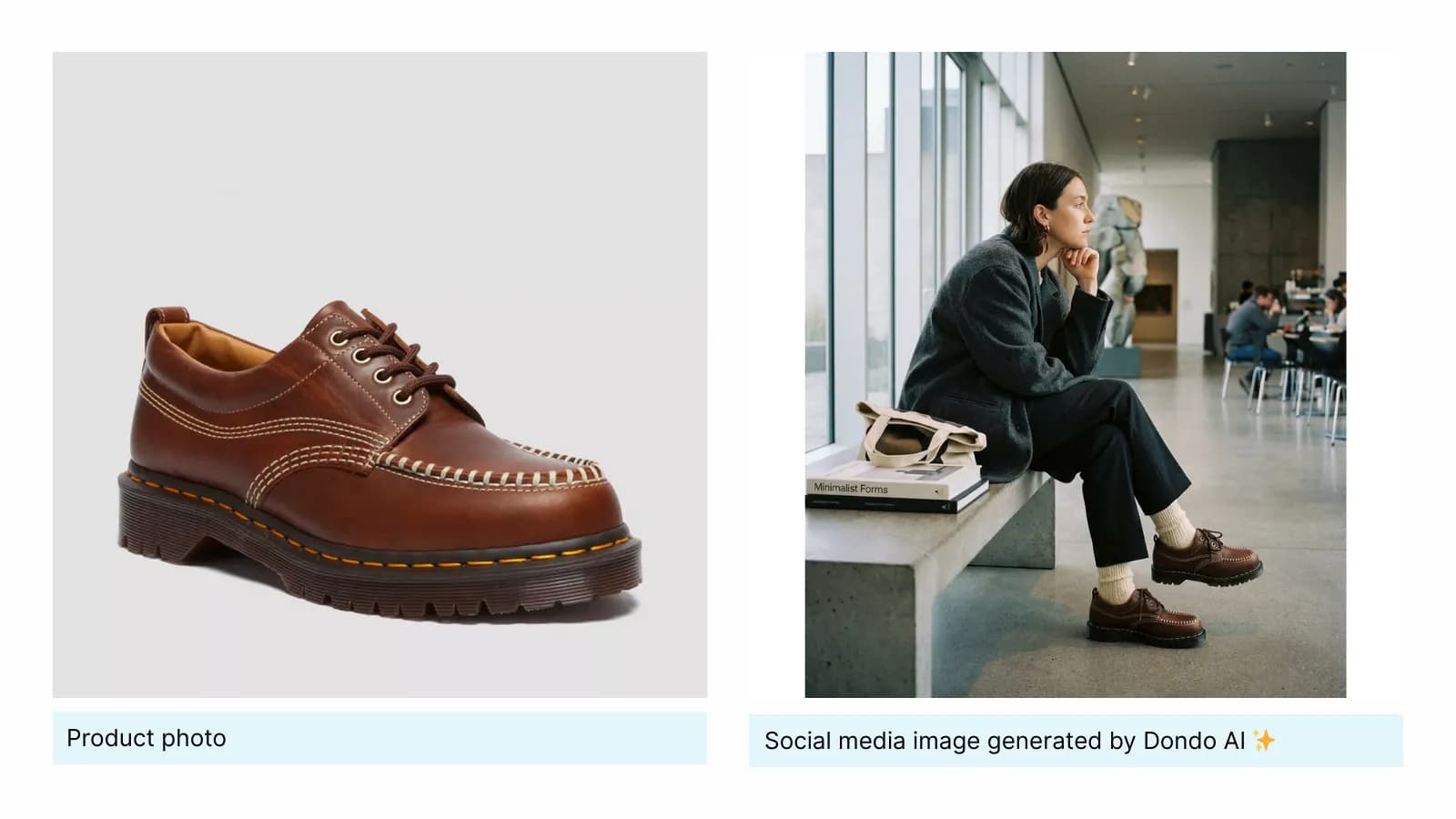
Social media images are designed to feel native to each platform and grab attention in fast-moving feeds. Studio generates visuals optimized for Instagram, Facebook, and Pinterest, ensuring your posts look polished and aligned with current platform styles. They help brands stay active on social without spending hours designing each asset manually.
■ How to use them:
Include these visuals in your daily posts, product announcements, seasonal drops, carousels, Reel covers, or Pinterest pins.
👉 Learn best practices for social media images
The Copywriter can do this for your store.
Rewrites titles, descriptions and bullets from what shoppers search.
Score my products freeAd images
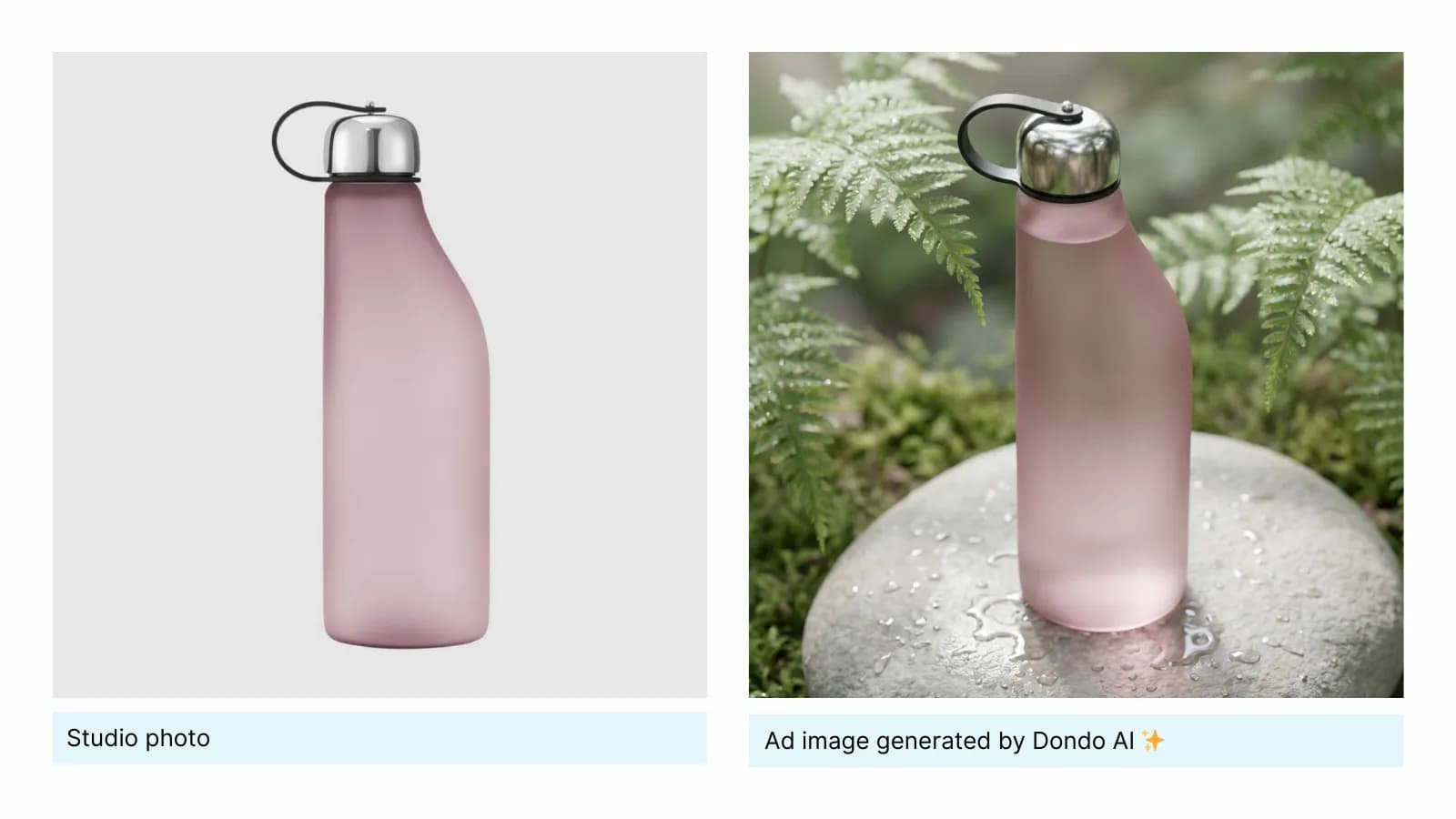
Ad images need to communicate value in seconds.They must be bold, clean, and crafted to highlight key selling points instantly to convert. Studio produces ad-ready images optimized for campaigns on Meta Ads, TikTok Ads, Pinterest Ads, Google, and more, so you can test variations quickly without the cost and time spend.
■ How to use them:
Use them in your paid campaigns, test variations with different angles or messages, include them in re-targeting flows, and rotate them regularly to prevent ad fatigue while keeping performance high.
👉 Learn how to create effective ad images
How Dondo creates images tailored to your store
- Brand voice analysis:
Dondo begins by analyzing your store URL to understand your brand at a deep level. It reviews your website content, social media, and customer reviews to learn how your brand looks and sounds. This includes your visual style, colors, tone, and the aesthetic cues that define your identity. - Audience understanding:
Dondo performs an analysis of your buyer persona and creates a detailed profile of your ideal customer. This way we can understand what types of images, contexts, models, lighting, and backgrounds align better with your audience needs and expectations. - Smart image generation:
With this understanding, Studio generates images that are visually consistent, relevant to your customers, and optimized for performance. Whether you are creating product images, lifestyle visuals, social content, or ads, the result is always aligned with your brand and designed to support engagement and conversions.
How to use Dondo Studio (step by step)
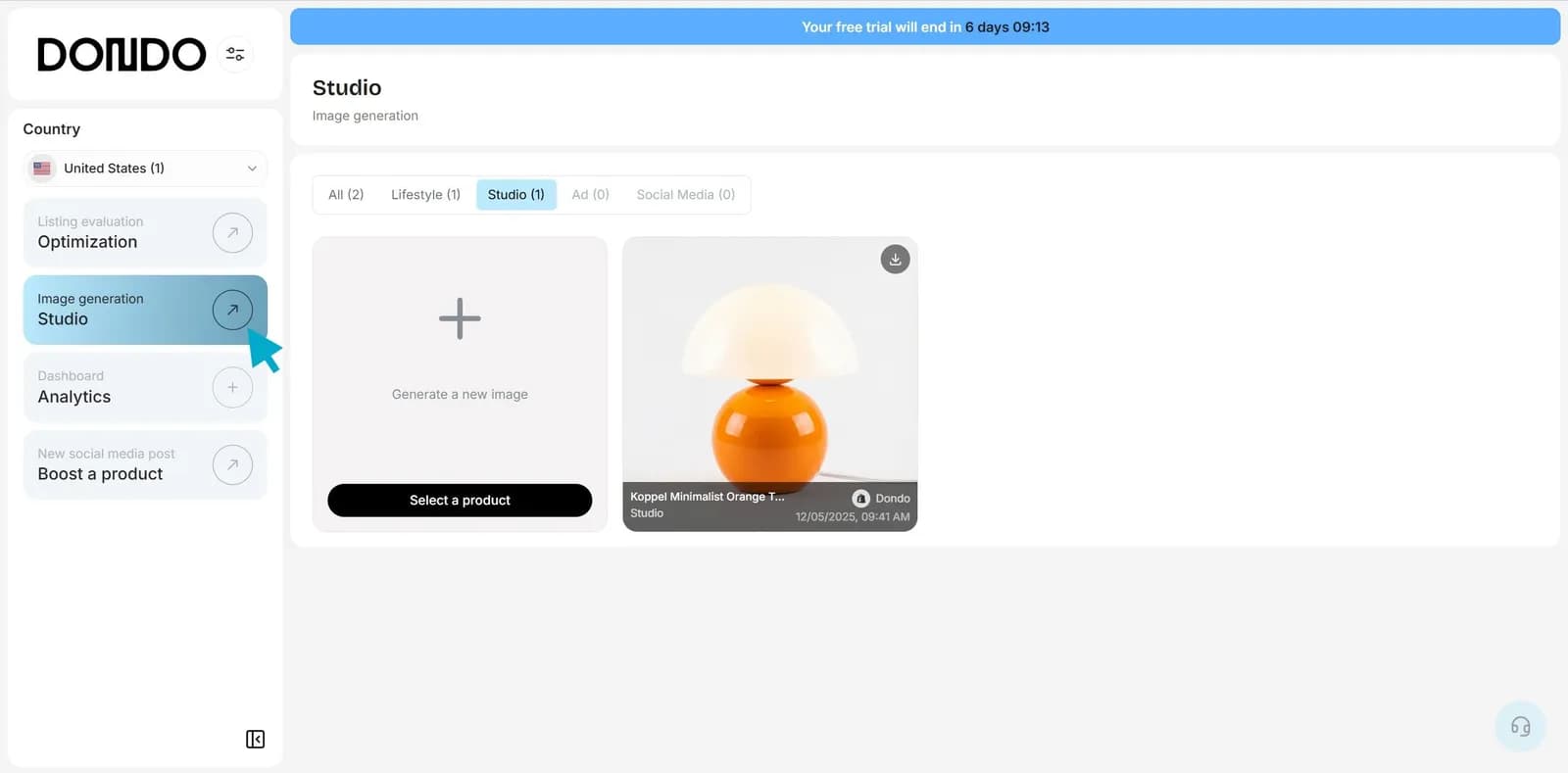
1. Open your dashboard and go to Studio in the left menu
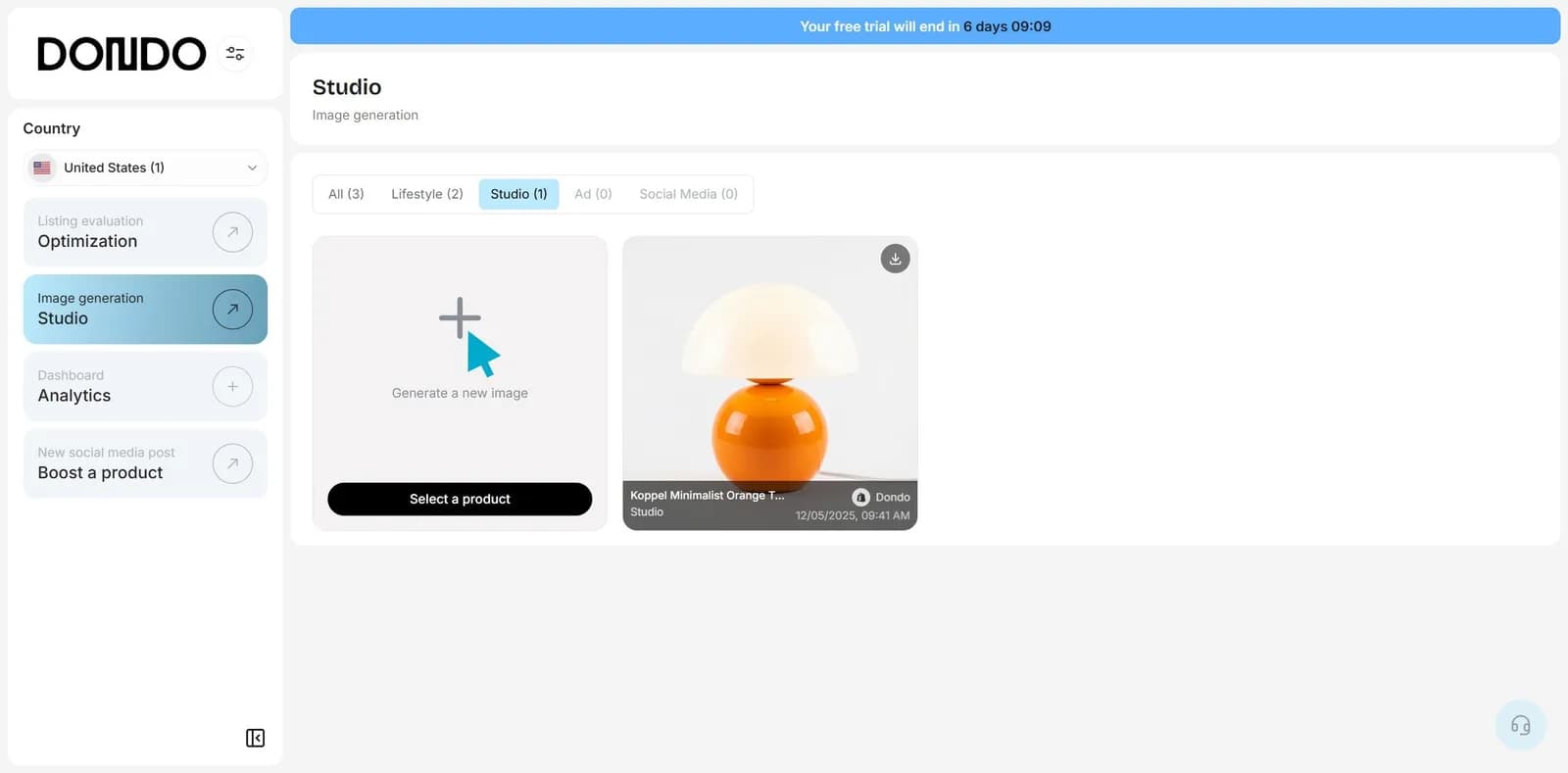
2. Click on "Generate a new image"
3. Choose the type of image you want to generate: studio, lifestyle, social, or ad
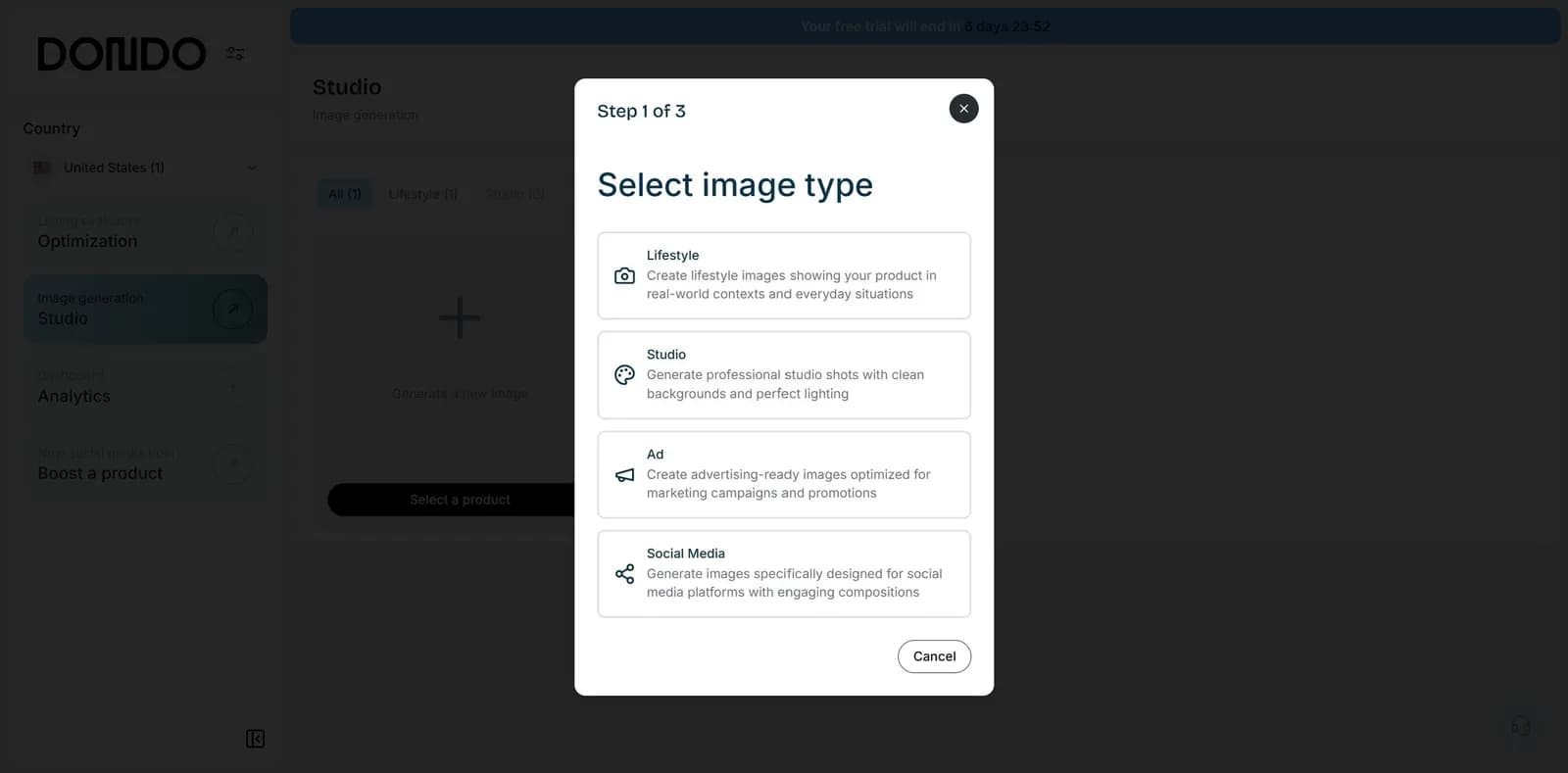
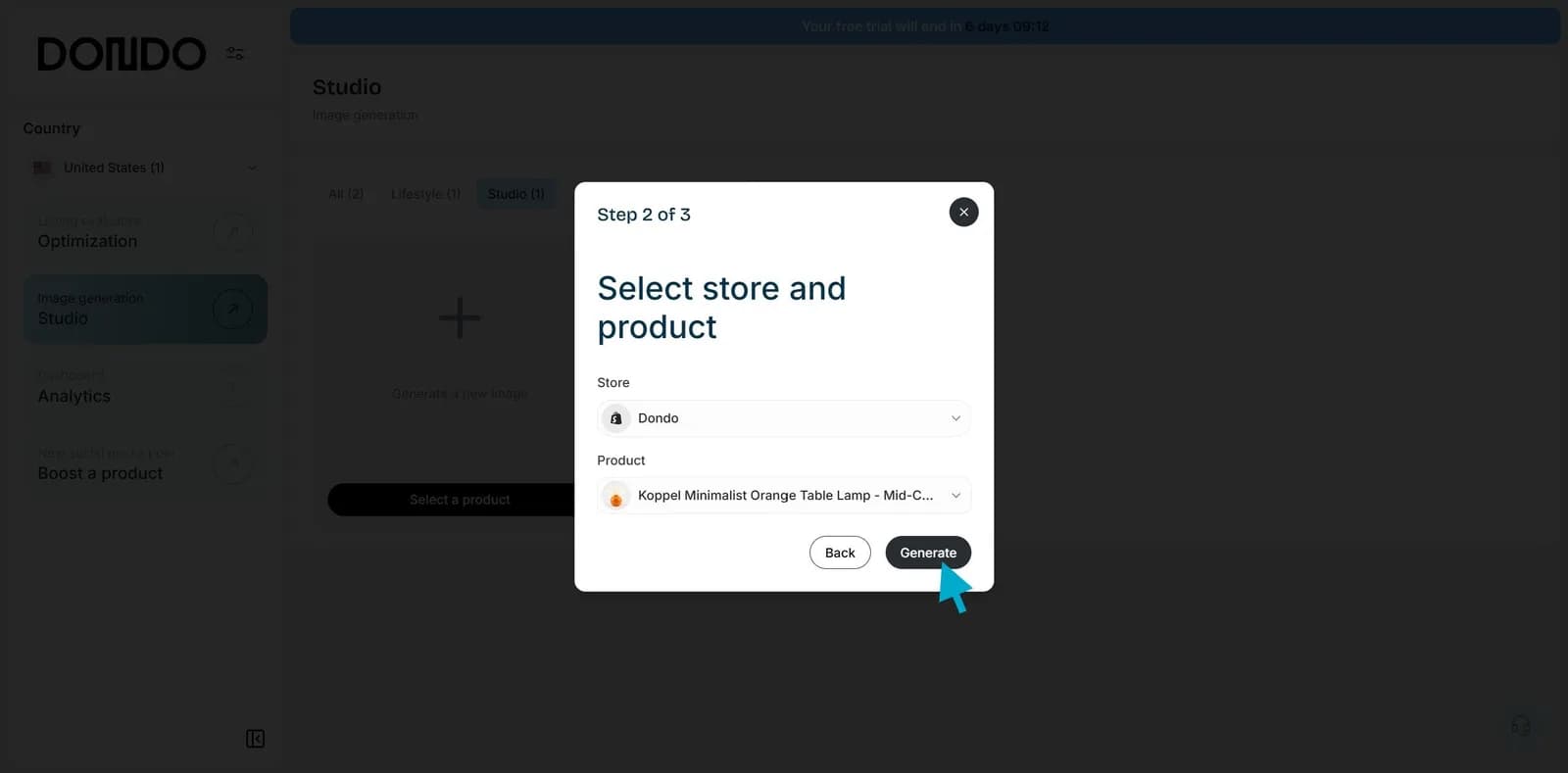
4. Select the product you want to generate an image for and click "Generate" to confirm
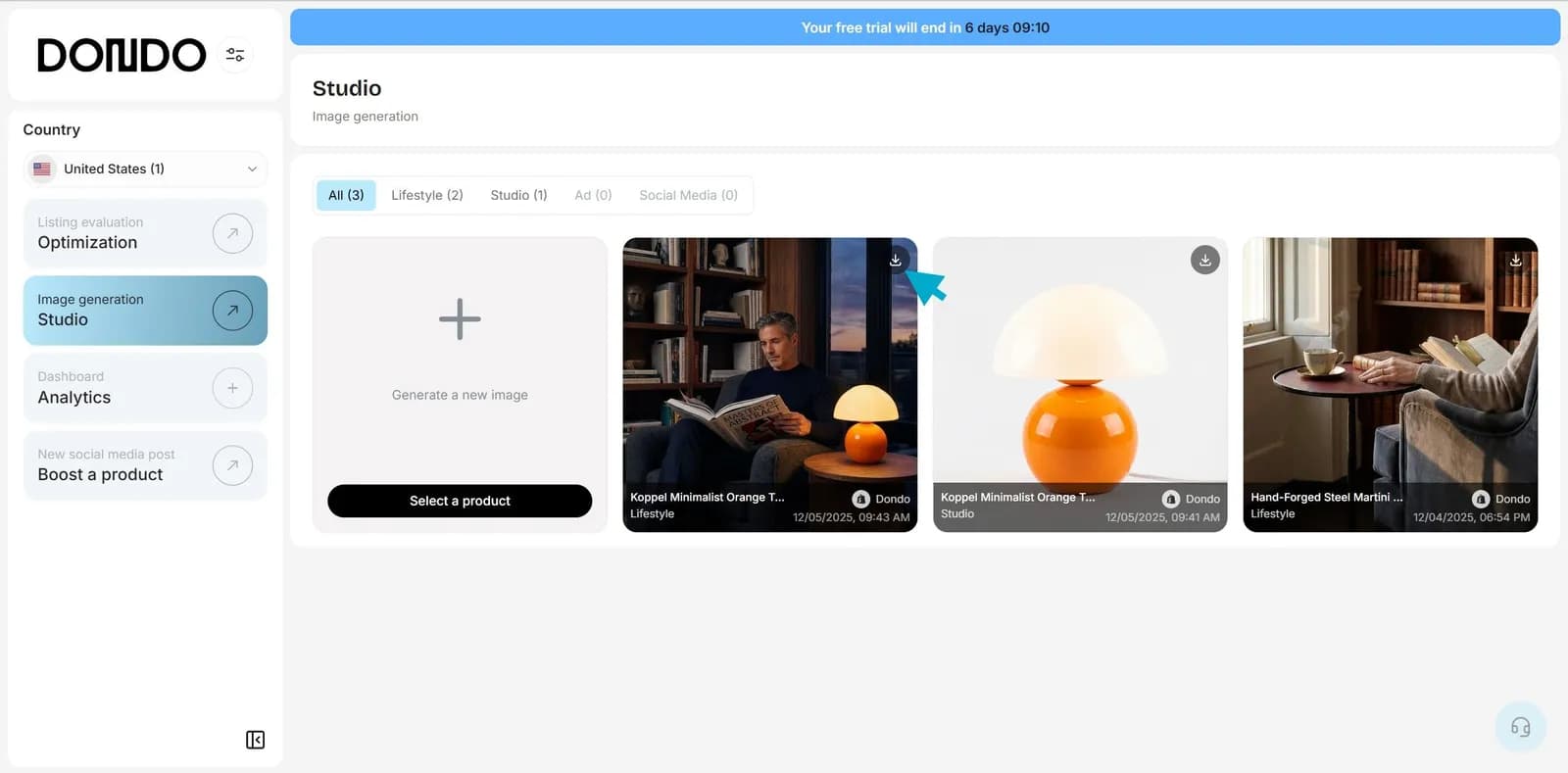
5. Review the image, download it or export your product if you created a studio or lifestyle image.
Start creating better visuals today
Your store deserves clear, consistent, high-quality images that make every product look its best. With Studio, you can generate them instantly and stay focused on what matters most: growing your business.
Try Studio free and create your first images in just seconds.
The Copywriter can do this for your store.
Rewrites titles, descriptions and bullets from what shoppers search.
Score my products freeRelated Posts
 Ecommerce and Dropshipping Guide
How to adapt one product for different sales channels
Keep one verified set of product facts while adapting titles, descriptions, attributes, and images for each store or marketplace. Follow a worked example.
5 min read
 Ecommerce and Dropshipping Guide
How to choose your first products to improve with Dondo
Turn your first Analyst findings into a manageable product group. Weigh business importance, verified content gaps, stock, and facts you still need to confirm.
5 min read
 Ecommerce and Dropshipping Guide
Measure SEO changes after editing a group of product pages
Build a small product-page measurement worksheet using Search Console and store analytics. Compare a baseline, inspect query changes, and keep attribution limits clear.
6 min read
 Ecommerce and Dropshipping Guide
Product facts that answer specific AI shopping questions
Work through variant, compatibility, and use-case questions to find the product facts your catalog needs before you draft clearer copy for shoppers and AI search.
5 min read