How to create studio product photos that sell more
Learn how to create professional-looking studio photos for your products that build trust and help you sell more using Dondo AI
 By Dondo5 min read
Why studio photos affect your sales and how to get them right
When shoppers browse a product page, studio images play a key role in helping them understand what they’re about to buy. Clear, high-quality photos allow customers to evaluate details, compare options, and feel confident about their purchase.
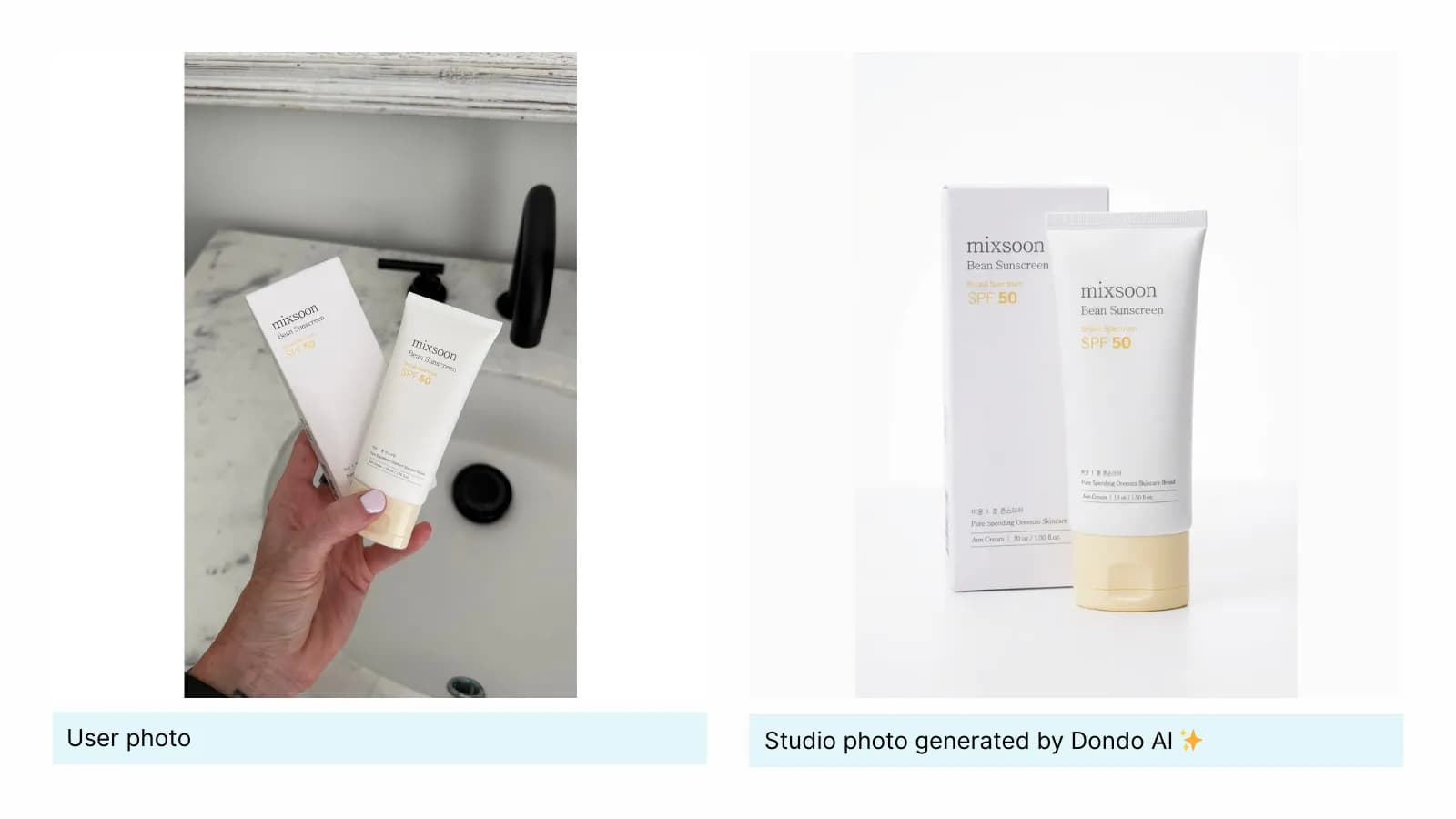
Quality matters.
According to Weebly, stores that use high-quality product photos are up to twice as likely to convert compared to those relying on poorly made or generic photos.
High-quality photos also help reduce returns. A Shopify report shows that products with multiple detailed photos (different angles, close-ups, and clear views) experience 25 to 30% fewer returns than products with limited or unclear images.
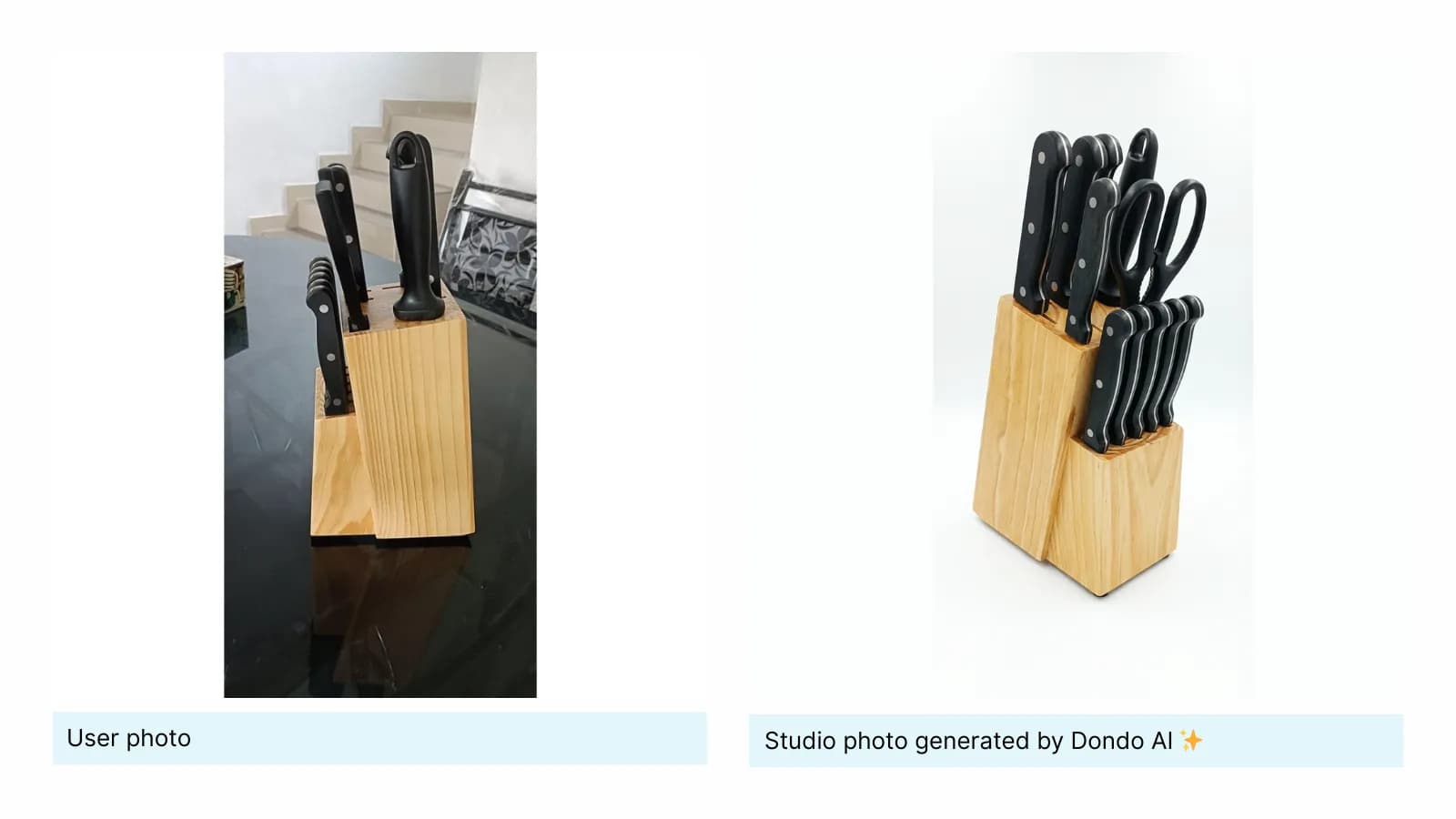
When online customers have clear and accurate photos, they know exactly what to expect, feel more confident about their purchase decisions, and are far less likely to be disappointed when their package arrives.
What makes a good studio photo in product pages?
Studio photos are intentionally simple. Their purpose is to showcase the product with clarity and precision. But simplicity doesn’t mean easy. The best studio images follow consistent principles that make the product look more valuable and professional, and the store more reliable.
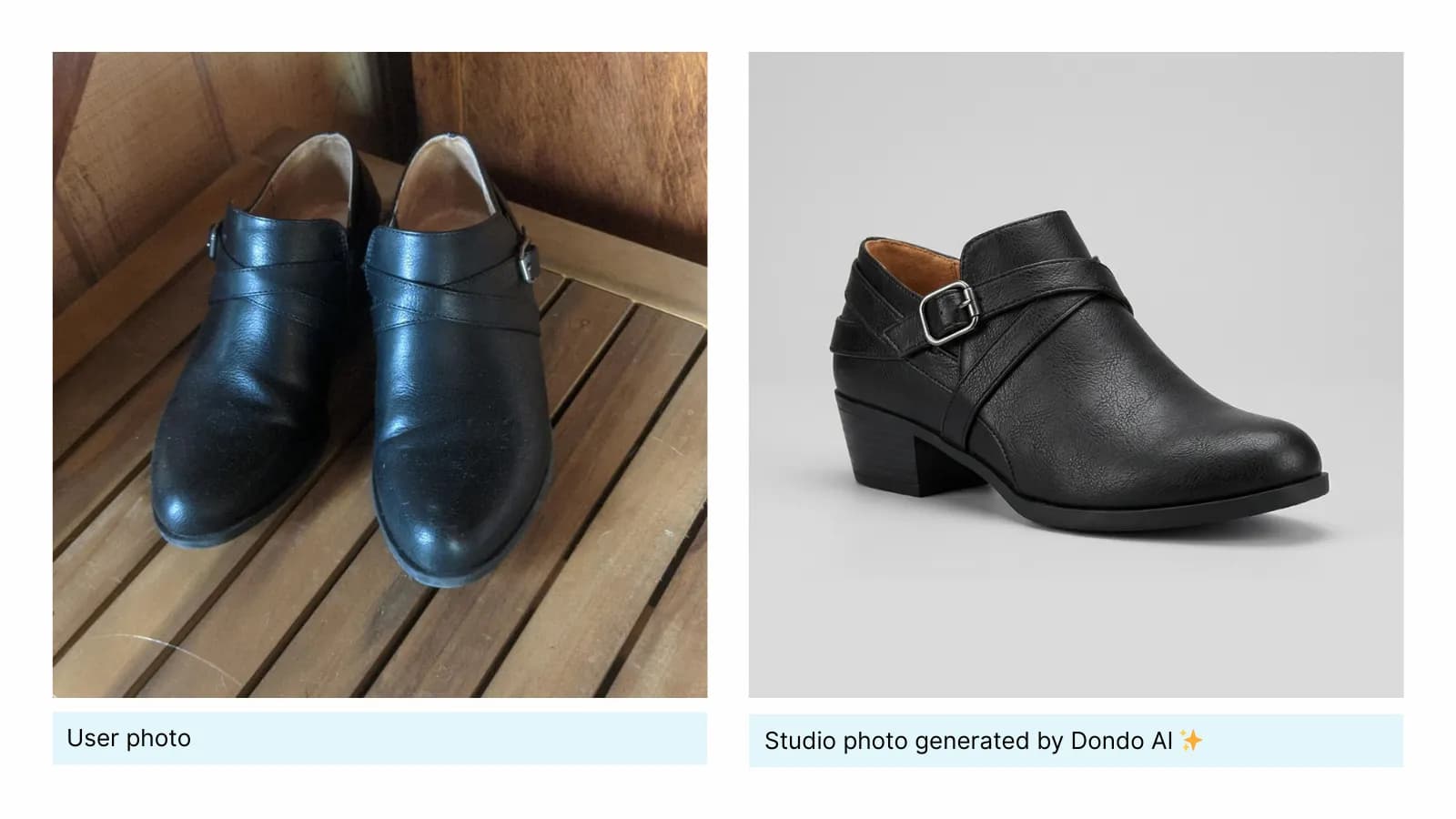
These are the core elements of studio photos:
■ Focus on the product:
Your customer should instantly understand what the product looks like. Clean backgrounds, sharp focus and minimal distractions help the product stand out.
■ Accurate colors and details:
Studio photography must represent the product truthfully. True-to-life colors, visible textures and sharp details reduce uncertainty and lower the possibility of returns.
■ Professional lighting:
Soft, even lighting prevents harsh shadows and highlights, helping the product look polished and high-quality. Great lighting can completely transform a product’s perceived value.
■ Visual consistency:
Using the same backgrounds, lighting style, and angles across all products builds brand cohesion. Consistency increases trust and makes your store feel reliable and established.
■ Optimized for platforms and devices:
Images should look good on any device, especially mobile.
The Copywriter can do this for your store.
Rewrites titles, descriptions and bullets from what shoppers search.
Score my products freeBest practices for creating high-quality studio photos
This advice will help you create studio visuals that stand out for the right reasons:
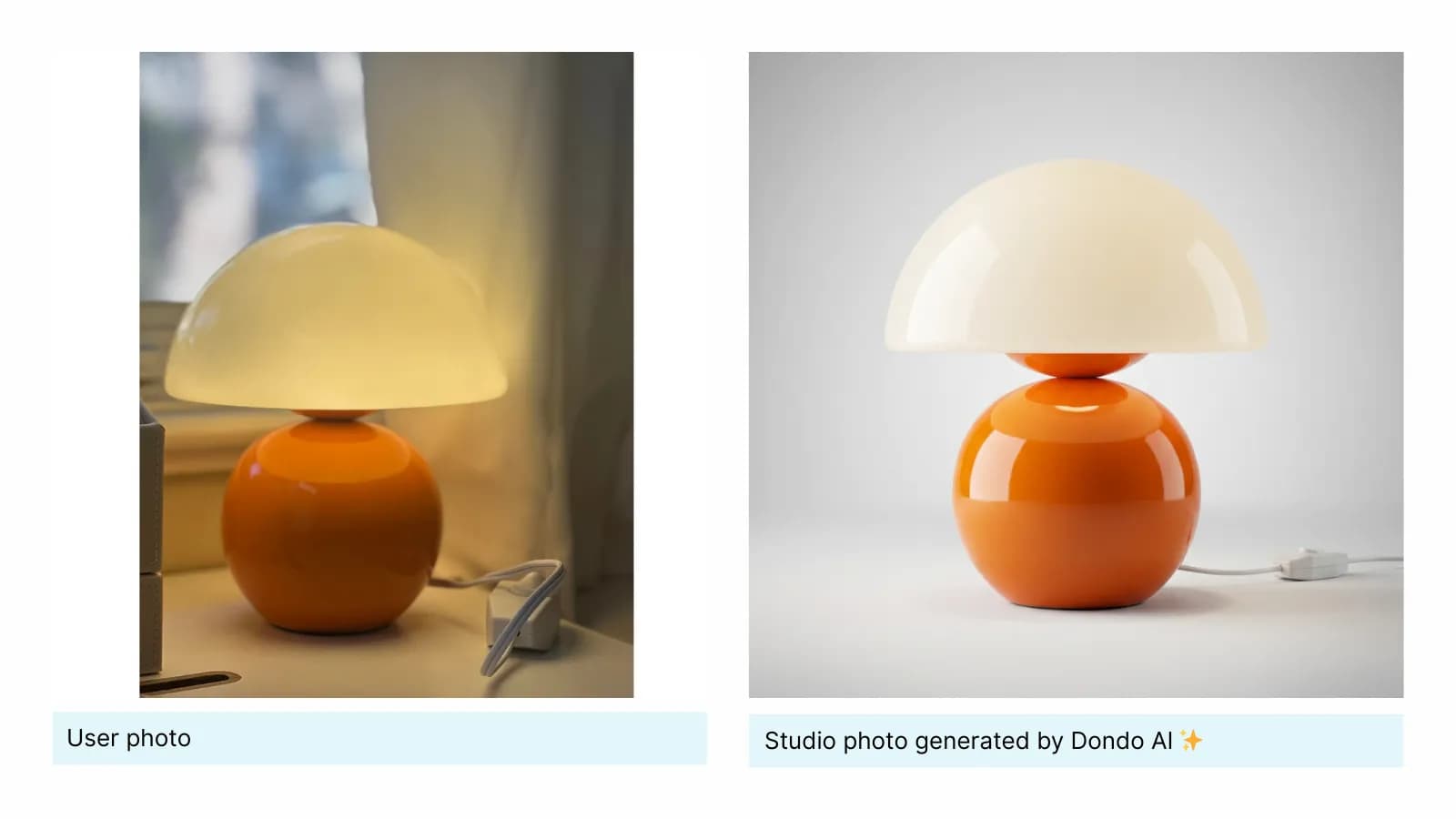
1. Use simple, neutral backgrounds
White, light gray, or soft neutral tones keep the focus on the product. Simplicity reduces visual noise and creates a clean, modern look.
Avoid strong textures, busy props, or colored lighting unless they reinforce your brand identity.
2. Use soft, diffused lighting
For professional studio shots use soft-boxes, light tents, or indirect natural daylight (place the product near a window with sheer curtains to soften sunlight). This will reduce harsh shadows and highlight details.
Also keep the color temperature consistent (around 5000–5500K) to ensure true-to-life colors.
3. Show multiple angles
Front, side, back, top and close-ups. More angles give customers a complete understanding of the product and its features.
4. Highlight important details
Show textures, materials, stitching, fastenings, or any feature that influences purchase decisions. Close-ups help communicate quality and provide transparency about the product’s materials and finish.
5. Maintain clear scale
Include a reference object or show a hand holding the product when its size could be unclear. Adding an image with dimensions is especially useful for furniture and home items.
6. Edit with a light touch
Enhance exposure and color without altering the true appearance of the product. Editing should refine the image, not change it.
7. Optimize file size without losing clarity
Compress images to ensure fast loading without sacrificing sharpness. Quick-loading images keep shoppers engaged and reduce drop-offs.
8. Optimize for platforms
Ensure your photos display well on marketplaces like Shopify, Amazon, or WooCommerce. Follow each platform’s recommended aspect ratios, resolution, and background colors to ensure optimal performance and compliance.
How to create studio product photos with Dondo
Traditional studio photography requires equipment, lighting, space and time. Dondo simplifies this process and lets you generate professional studio images in seconds.
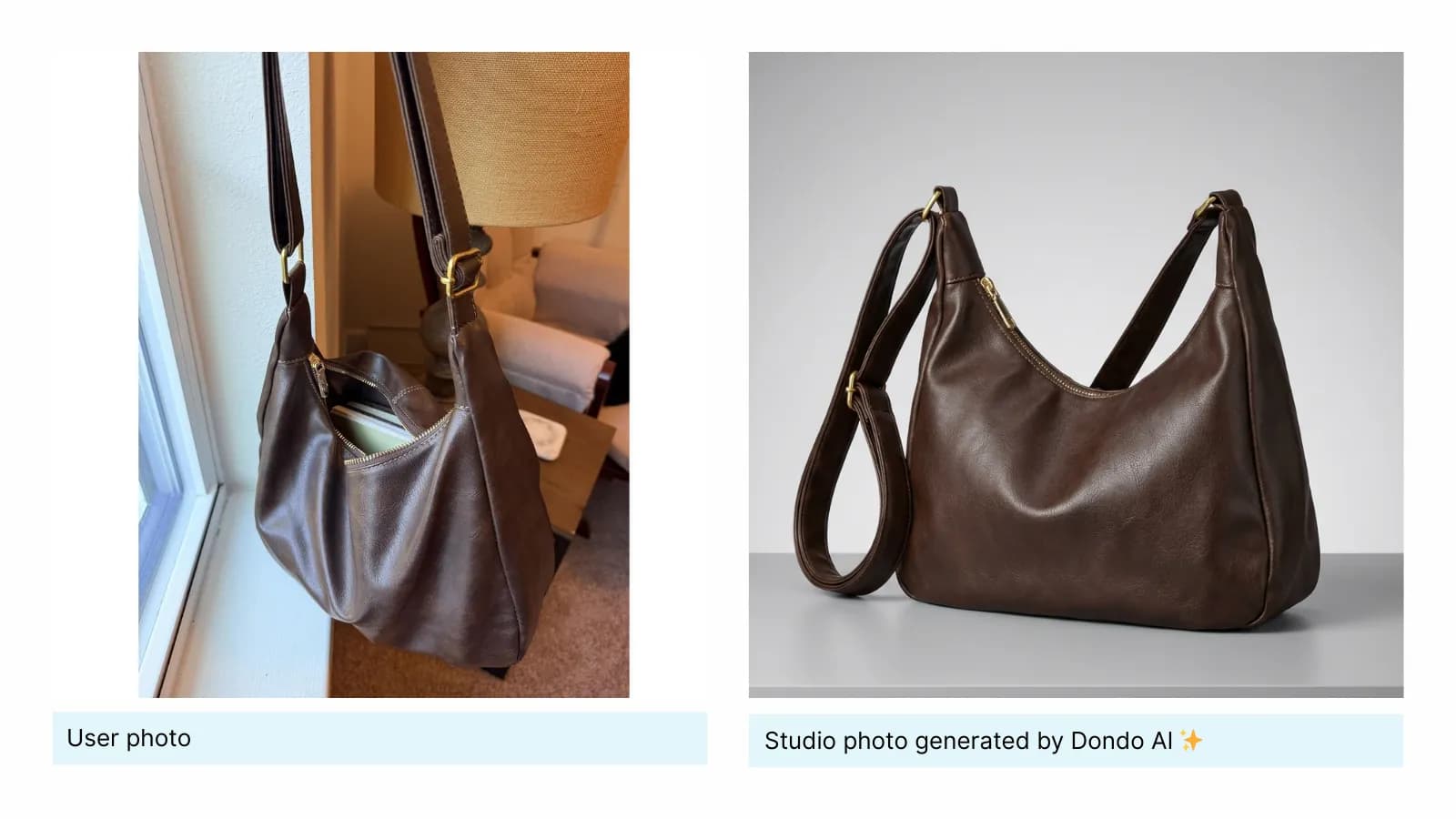
Create great studio photos with a click:
Dondo AI uses your store URL to analyze your website, social media, and customer reviews, and understand:
- How your brand looks and feels:Your colors, visual style, tone and the overall aesthetic that defines your identity.
- What works for your audience:Preferred lighting styles, types of backgrounds, level of detail, and compositions that will perform best with your customers.
With this context Dondo generates clean and consistent studio photos that are tailored to your brand and optimized for conversion.
How to use it:
1. In your dashboard, go to the Studio in the left menu.
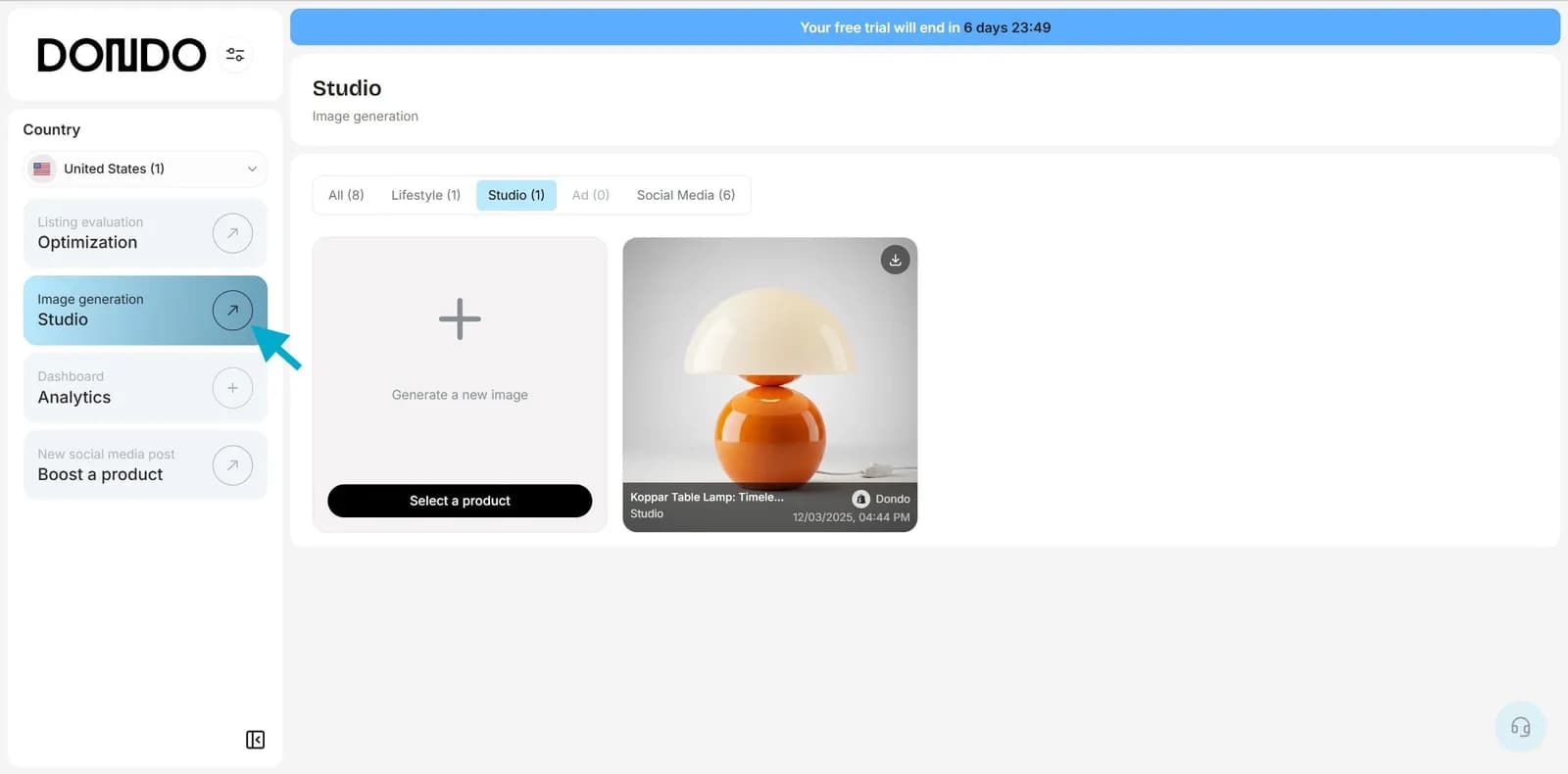
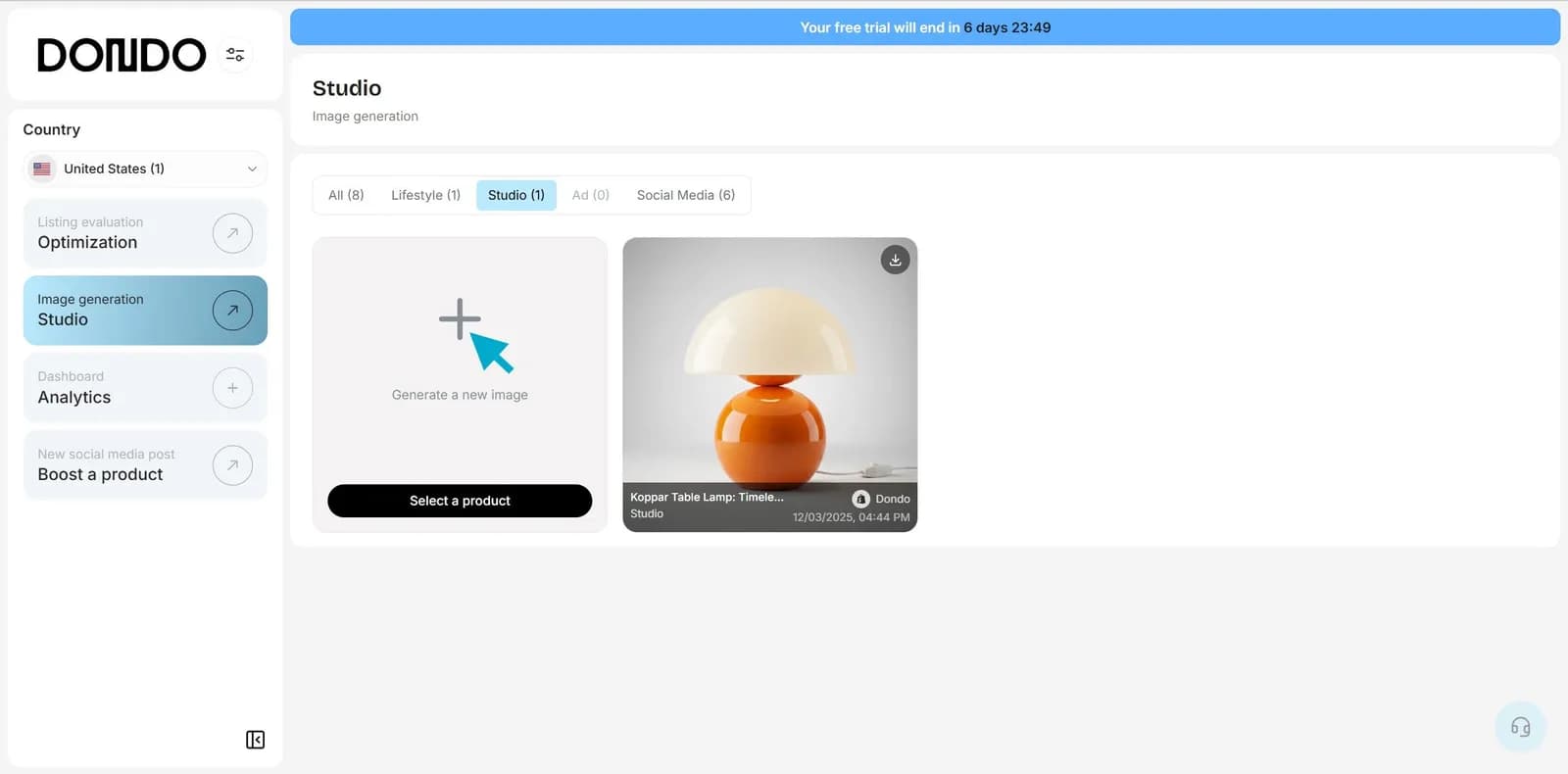
2. Click "Generate a new image"
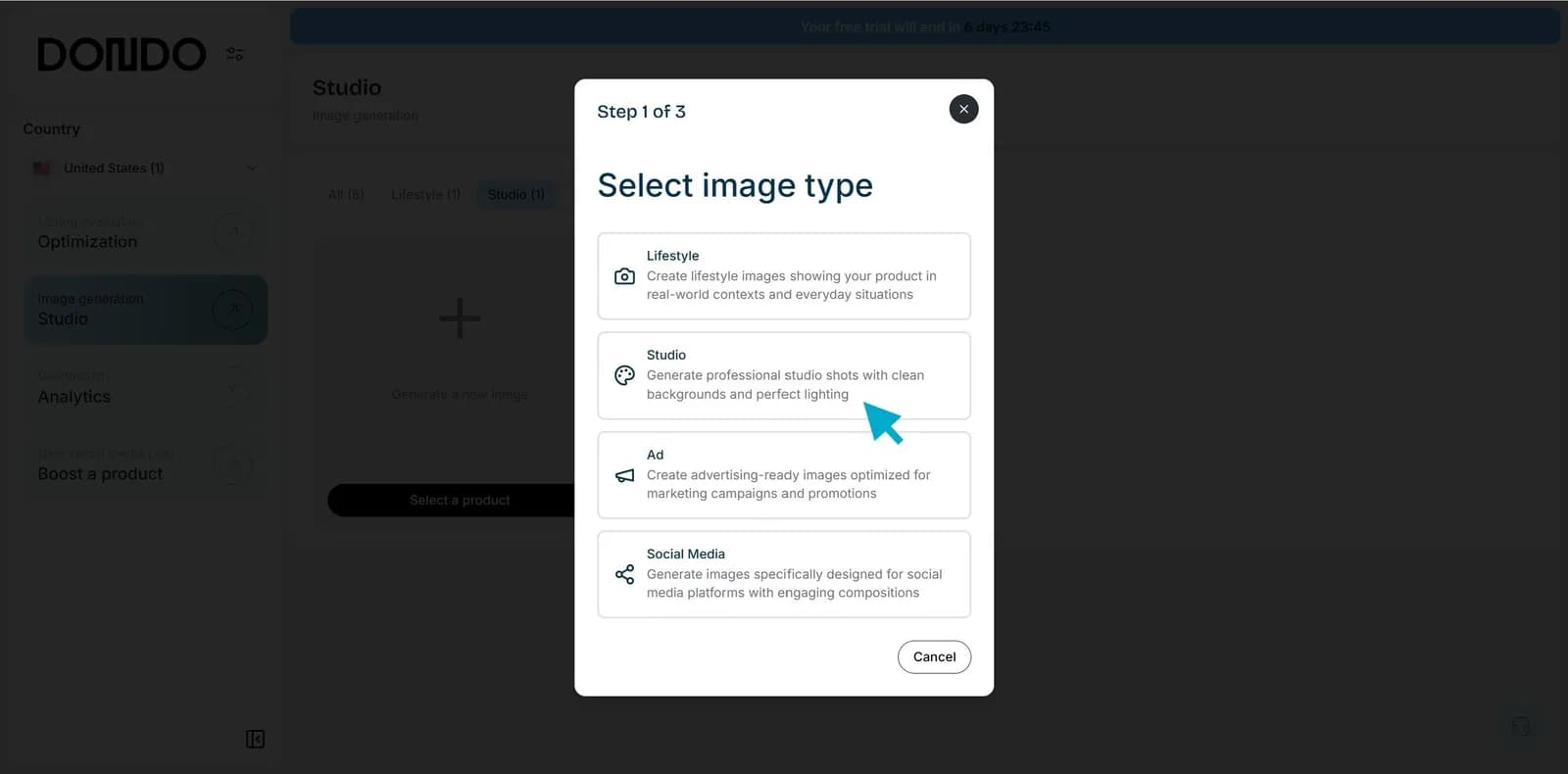
3. Choose the image type Studio
4. Select the product you want to generate a studio image for and click to confirm
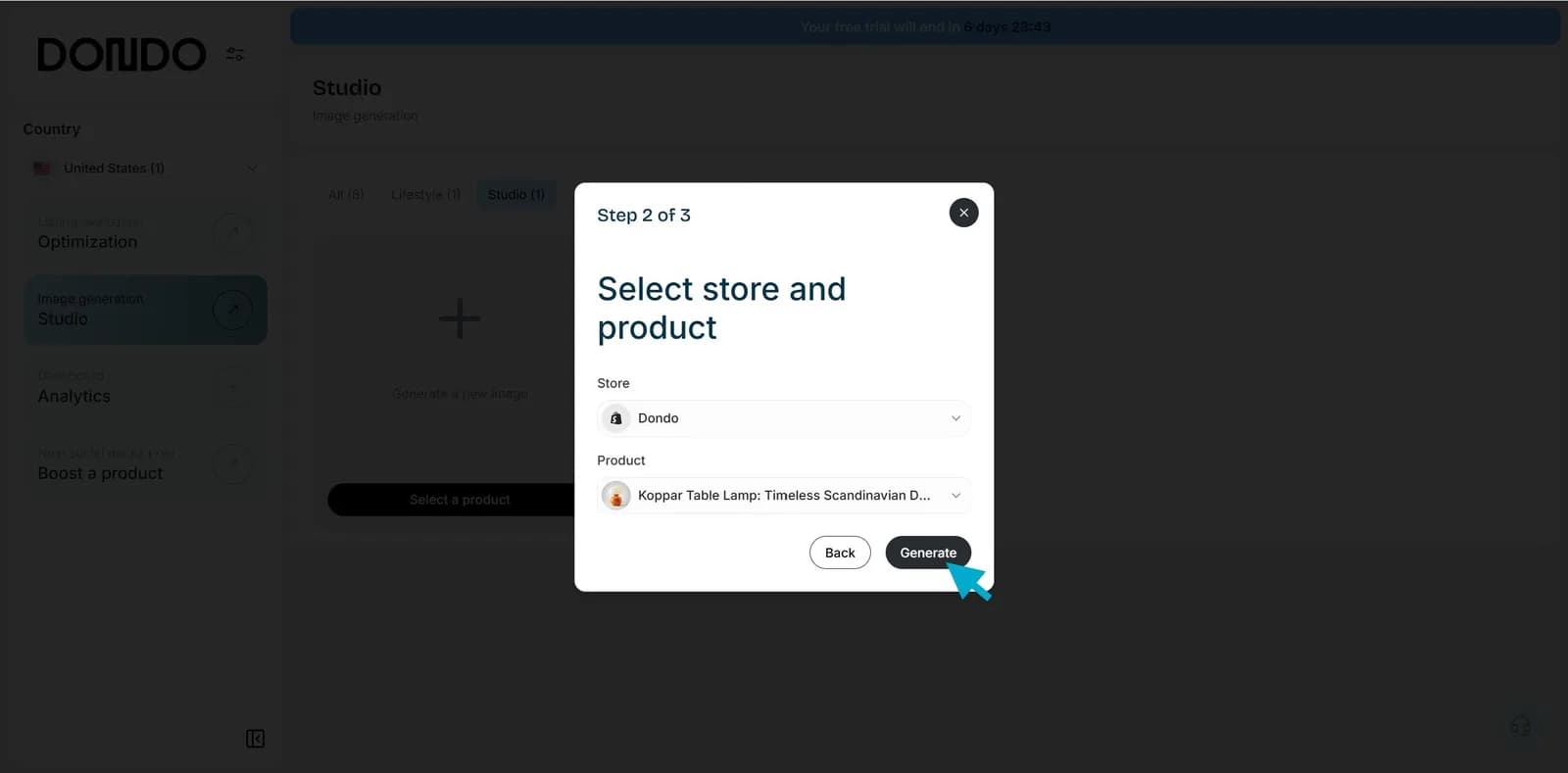
Your studio photos will be ready in seconds: clean, consistent and optimized for your ecommerce.
Start creating studio images that instantly improve your products and store quality. Try Dondo Studio free now with our trial.
The Copywriter can do this for your store.
Rewrites titles, descriptions and bullets from what shoppers search.
Score my products freeRelated Posts
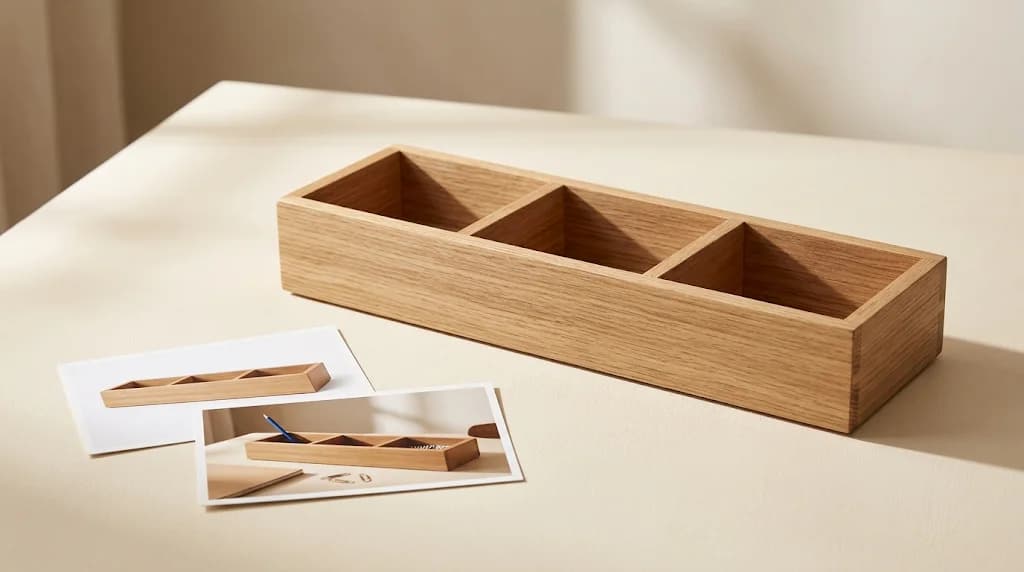 Ecommerce and Dropshipping Guide
How to adapt one product for different sales channels
Keep one verified set of product facts while adapting titles, descriptions, attributes, and images for each store or marketplace. Follow a worked example.
5 min read
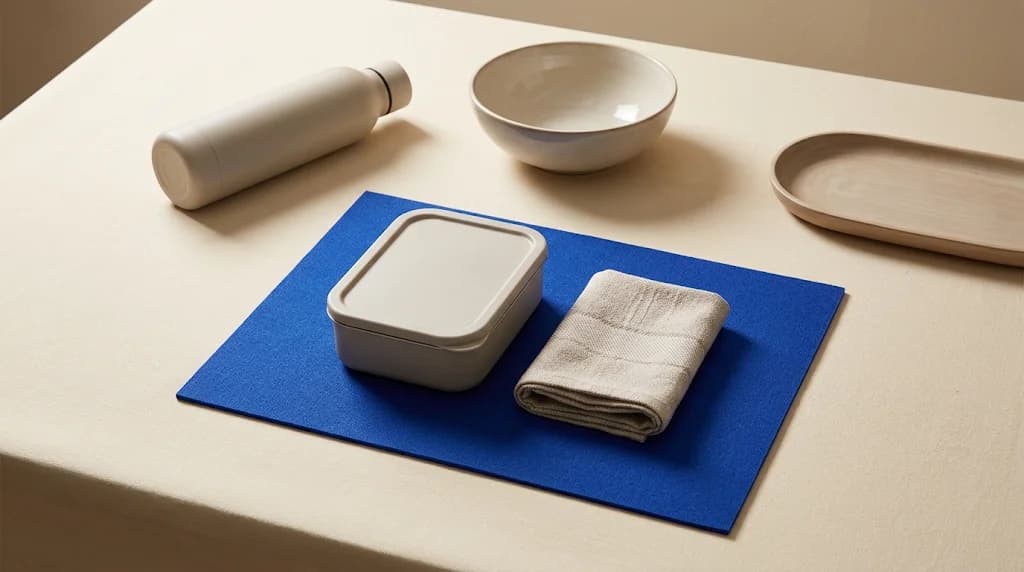 Ecommerce and Dropshipping Guide
How to choose your first products to improve with Dondo
Turn your first Analyst findings into a manageable product group. Weigh business importance, verified content gaps, stock, and facts you still need to confirm.
5 min read
 Ecommerce and Dropshipping Guide
Measure SEO changes after editing a group of product pages
Build a small product-page measurement worksheet using Search Console and store analytics. Compare a baseline, inspect query changes, and keep attribution limits clear.
6 min read
 Ecommerce and Dropshipping Guide
Product facts that answer specific AI shopping questions
Work through variant, compatibility, and use-case questions to find the product facts your catalog needs before you draft clearer copy for shoppers and AI search.
5 min read