Create product images for social media with Dondo AI
Learn how to create effective product images for social media using AI and keep your visual content consistent.
 By Dondo5 min read
How to create product images for social media with AI
In today’s digital world, social media is one of the most powerful discovery engines for your brand and products. With billions of users scrolling every day, these platforms give your store the chance to reach new audiences, showcase your products’ unique value, and build trust with potential customers.
Social media is no longer optional for brands and online stores. With so much content being posted daily, you need well-crafted posts that make your products stand out in crowded feeds.
Why brands need to post product images on social media
Product images have become essential content for stores. but they shouldn’t be the same images you use on your website’s product pages. Web images are designed to fit your site layout, while social media images must grab attention in feeds.
For social media, your images need to strike a balance: blending in with the platform’s content while standing out enough to drive clicks and engagement.
Posting high-quality product images on social media helps you:
■ Increase brand visibility:
Users scroll feeds daily, and some of the content they see comes from brands they use or that align with their interests. Effective product posts and a consistent presence increase the likelihood of reaching your target audience.
■ Build trust and credibility:
Regular, high-quality content demonstrates effort, discipline, and expertise, making your store appear professional and reliable.
■ Engage customers:
Social platforms allow interaction through comments, likes, shares, and messages. This helps you understand your customers better, stay connected with them, and keep your brand and products top of mind.
■ Drive traffic and sales:
Posts can direct users to product pages or landing pages, creating measurable conversion opportunities.
Best practices for social media product images
- Lifestyle images
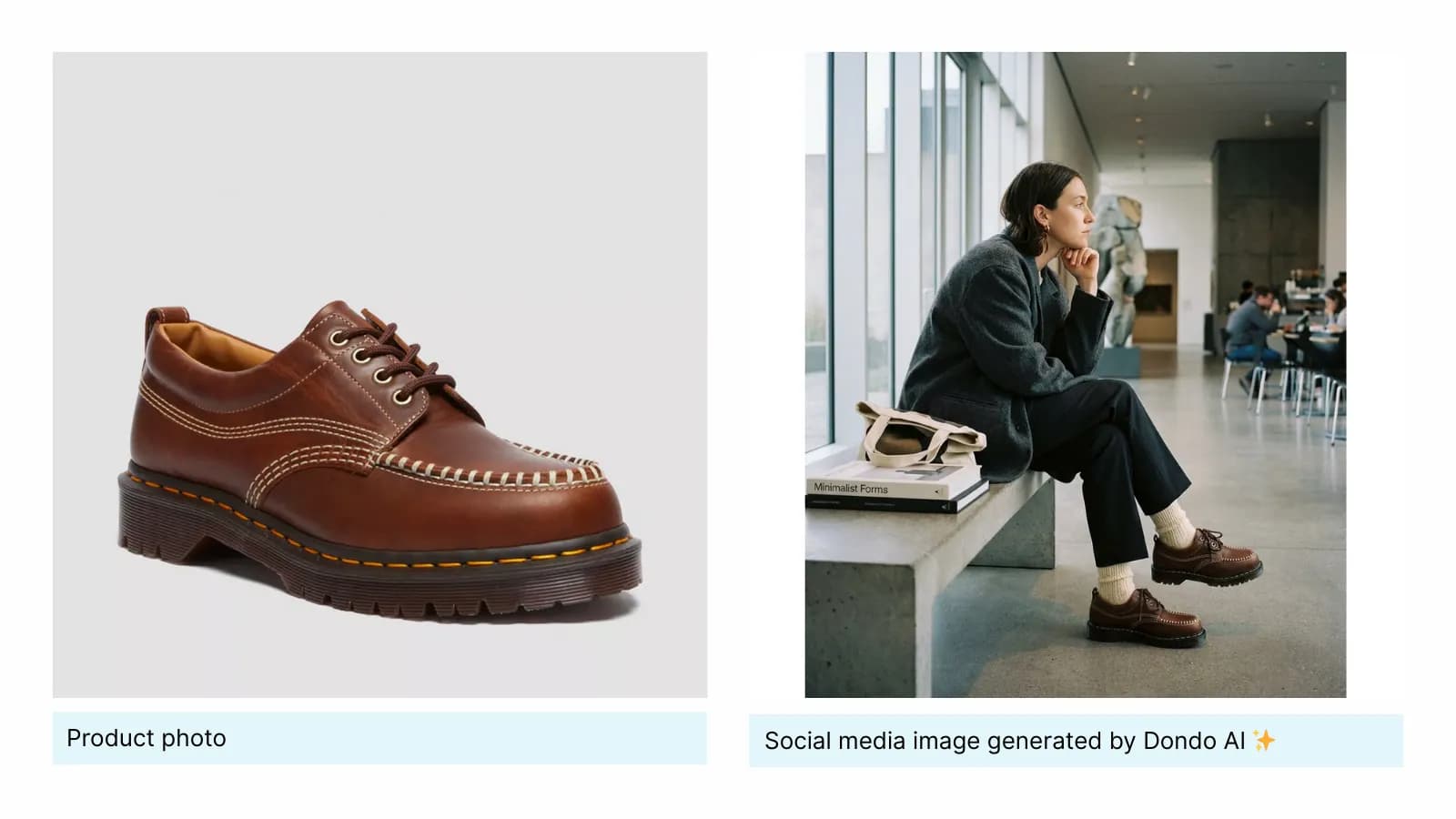
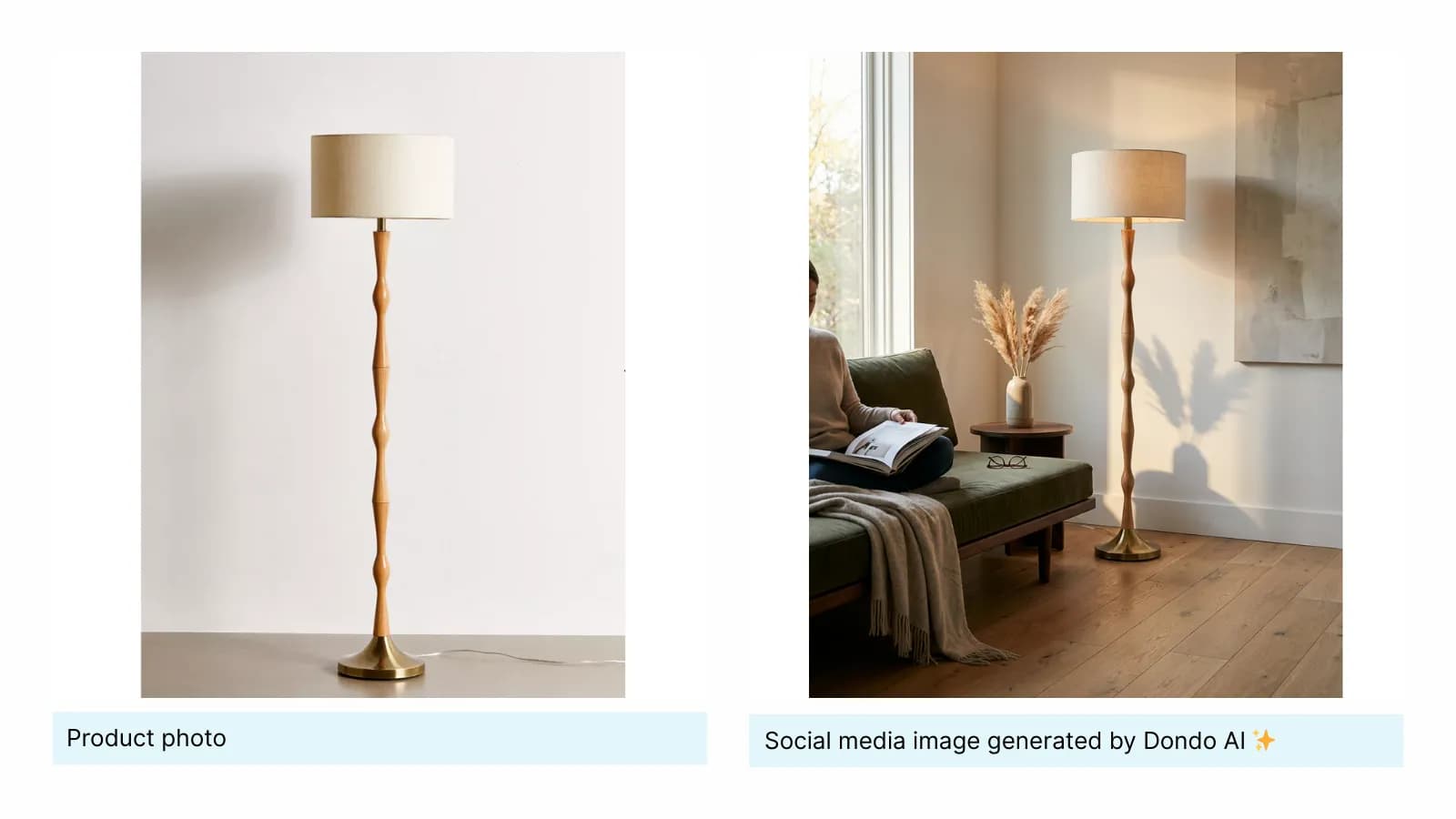
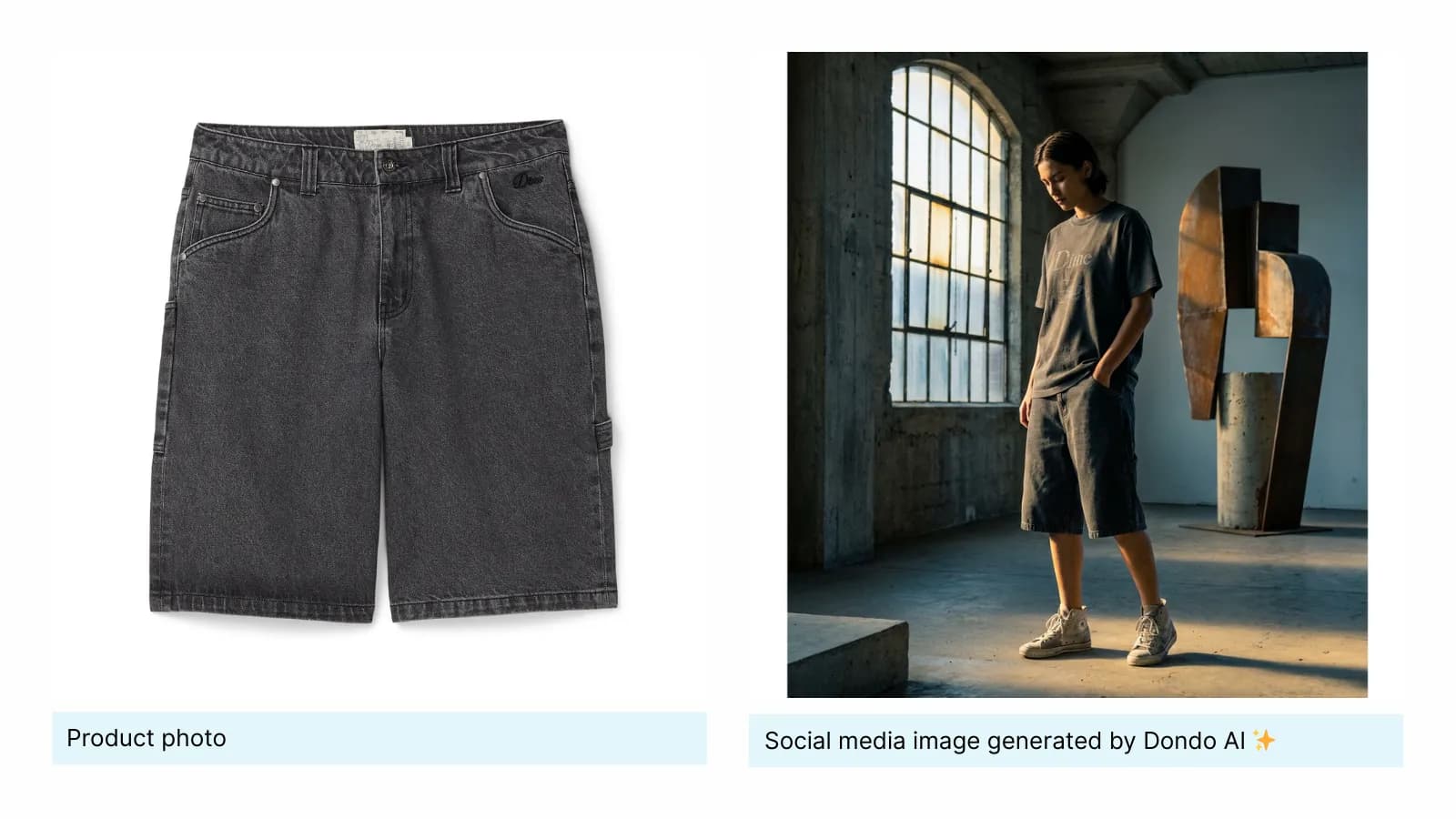
Lifestyle images feel authentic and blend naturally into feeds, increasing the chance your content gets noticed. Capture your product in real-life settings with natural light.
Showing your product in real-world scenarios helps users imagine it in their own lives. - High quality
Crisp, sharp photos with true-to-life colors signal professionalism and make your products more appealing. - Consistent visual style
Keep your brand aesthetic cohesive through consistent colors, lighting, and composition. Consistency builds trust and improves perceived professionalism. - Optimize for SEO
Use descriptive file names and include brief Alt text descriptions with relevant keywords. This helps search engines index your images and improves discoverability. - Use the right aspect ratios
Make sure your images follow recommended dimensions for each platform to ensure they display correctly and attractively.
Best practices for the main platforms
Post Reels:
- Instagram Reels see 36% more reach than other post types (Buffer,2024).
- The Reels feed isn’t dominated by friends, family, or accounts users already follow, making it ideal for discovering new brands and creators.
- Tip: use different product images to create dynamic clips that demonstrate product usage or highlight features effectively.
Use carousels
- Instagram Carousels see 12% more engagement than other post types (Buffer,2024).
- Using multiple images give your post more chances to appear in feeds. And carousels require users to swipe through, encouraging active engagement and feedback.
- Tip: tell a story through different images. Show product variations, features, or several items from the same collection or seasonal sale.
🖼️ Aspect ratios: Aspect ratios: square (1:1) or vertical (4:5) images work best for feed posts, while 9:16 works for Reels.
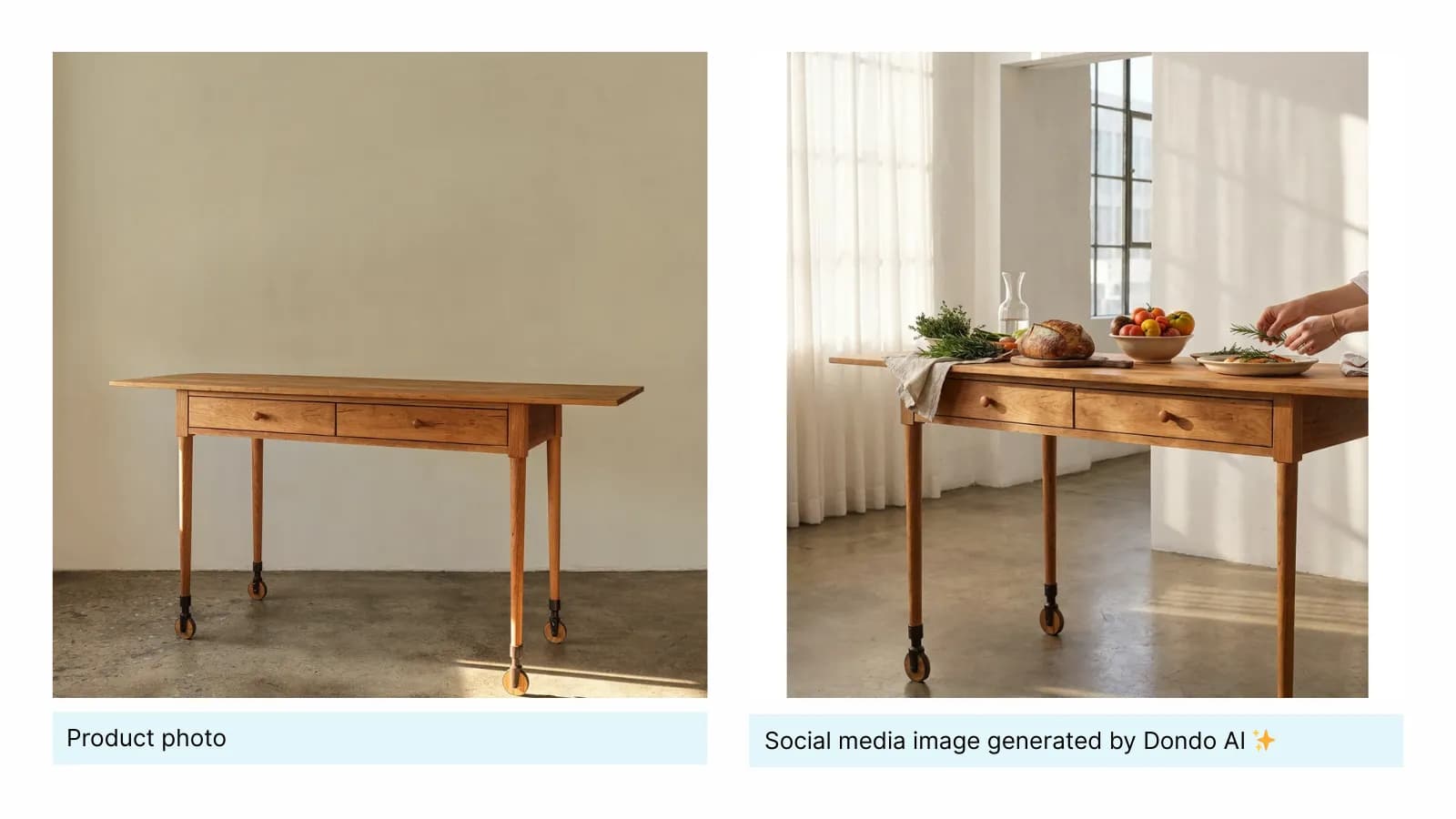
The Copywriter can do this for your store.
Rewrites titles, descriptions and bullets from what shoppers search.
Score my products freeUse vertical images:
- Vertical images perform better in feeds and receive higher engagement and shares.
Focus on inspirational content:
- Pinterest users are highly oriented toward visual inspiration. Clean, well-composed visuals aligned with the platform’s aesthetic perform best.
- Showing products in lifestyle or contextual images drives saves, clicks, and traffic.
- High-resolution images increase engagement by up to 67% and are 2.3× more likely to be saved. (Product London, 2024)
Include people when possible
- Images with faces get 23% more repins than those without, adding a relatable human element. (Product London, 2024)
🖼️ Aspect ratios: Use 2:3 (1000x1500 pixels) for best display and quality.
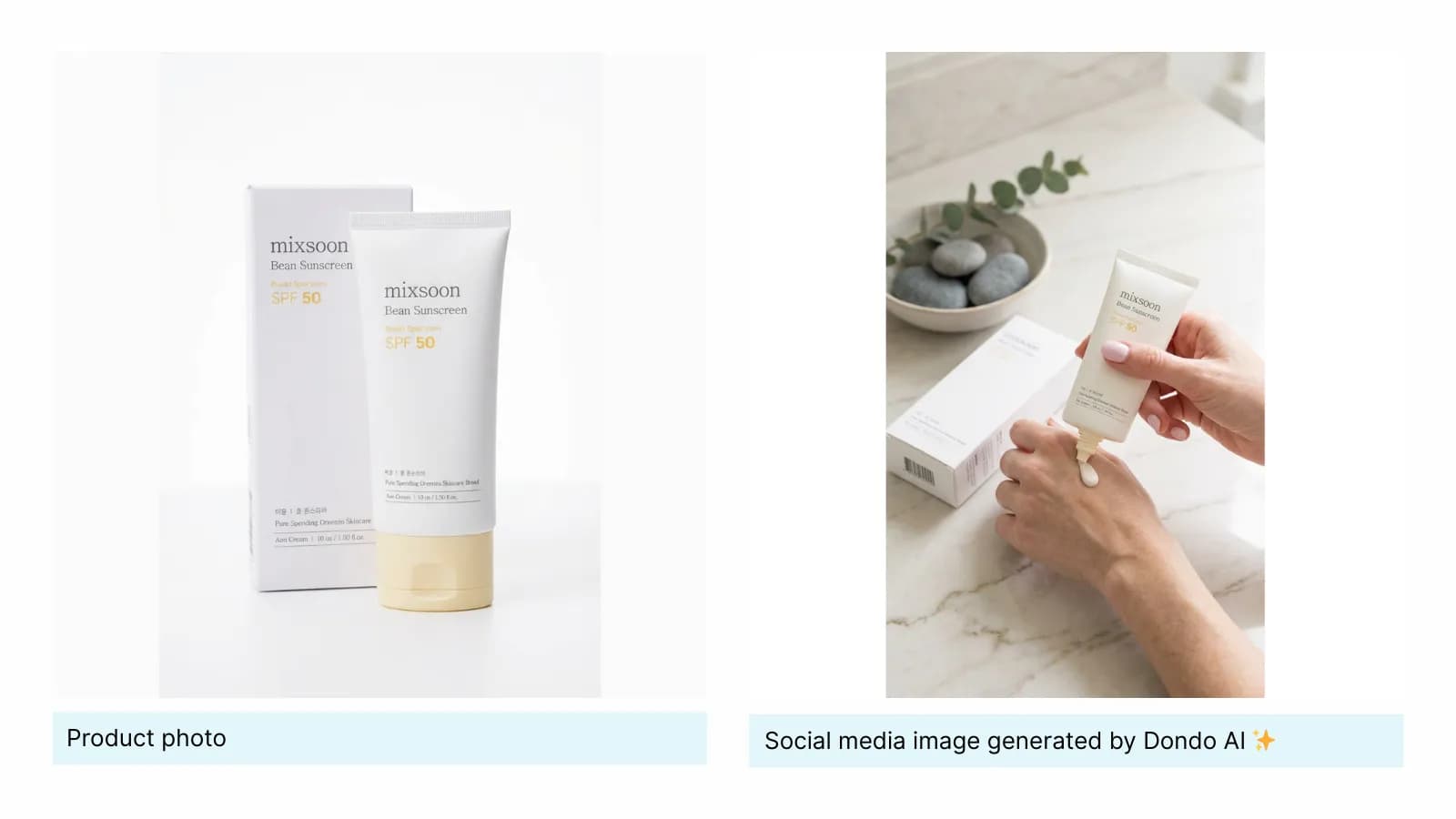
Maintain a consistent presence
- Even if organic engagement is lower, Facebook remains highly indexed by search engines. Regular posting (e.g., once a week) keeps your brand visible.
🖼️ Aspect ratios: for feed posts use square (1:1) or horizontal (16:9). For mobile-focused content use vertical (4:5)
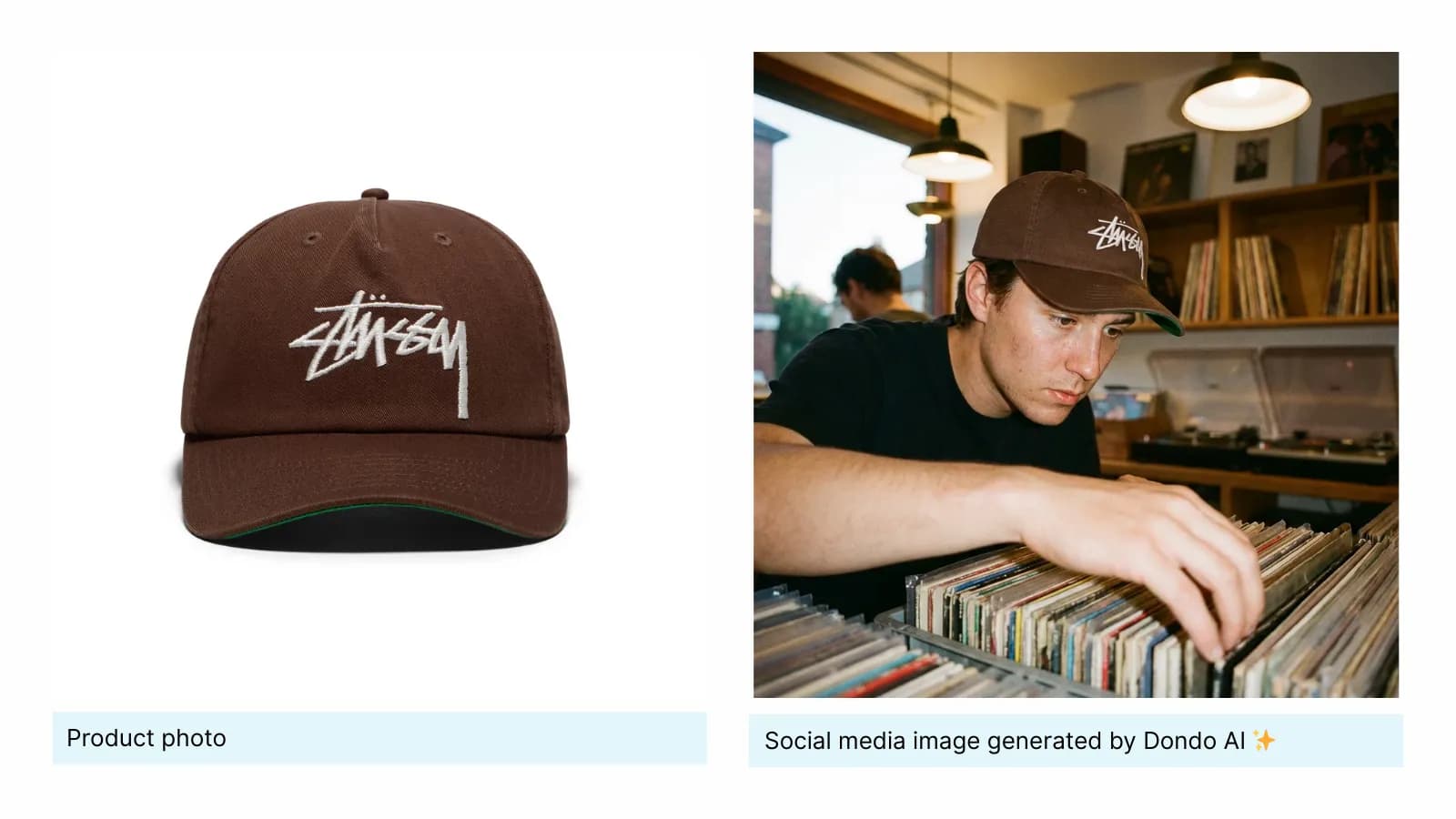
How to create social media product images with Dondo
Dondo simplifies creating product images for social media, letting you generate professional, consistent visuals in seconds with just a click.
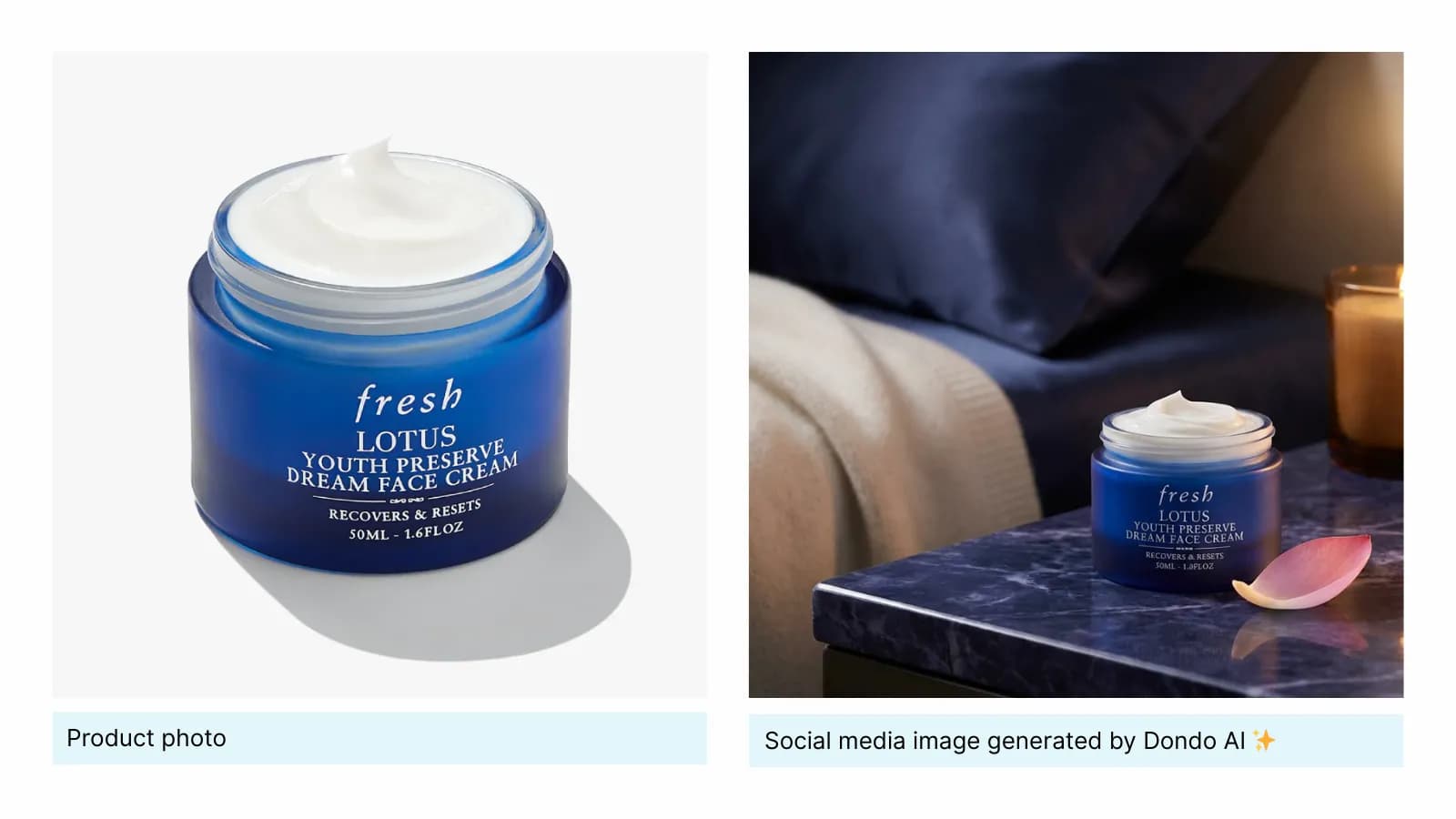
How Dondo works:
- Brand voice analysis: Dondo AI analyzes your website, social media, and customer reviews to understand your brand’s visual style, colors, tone, and overall aesthetic.
- Buyer persona insights: The AI identifies your ideal customers and what resonates with them visually, including preferred lighting, backgrounds, and composition styles.
- Image generation: Using this context, Dondo produces effective, visually consistent images optimized for social media engagement and conversion.
How to use it:
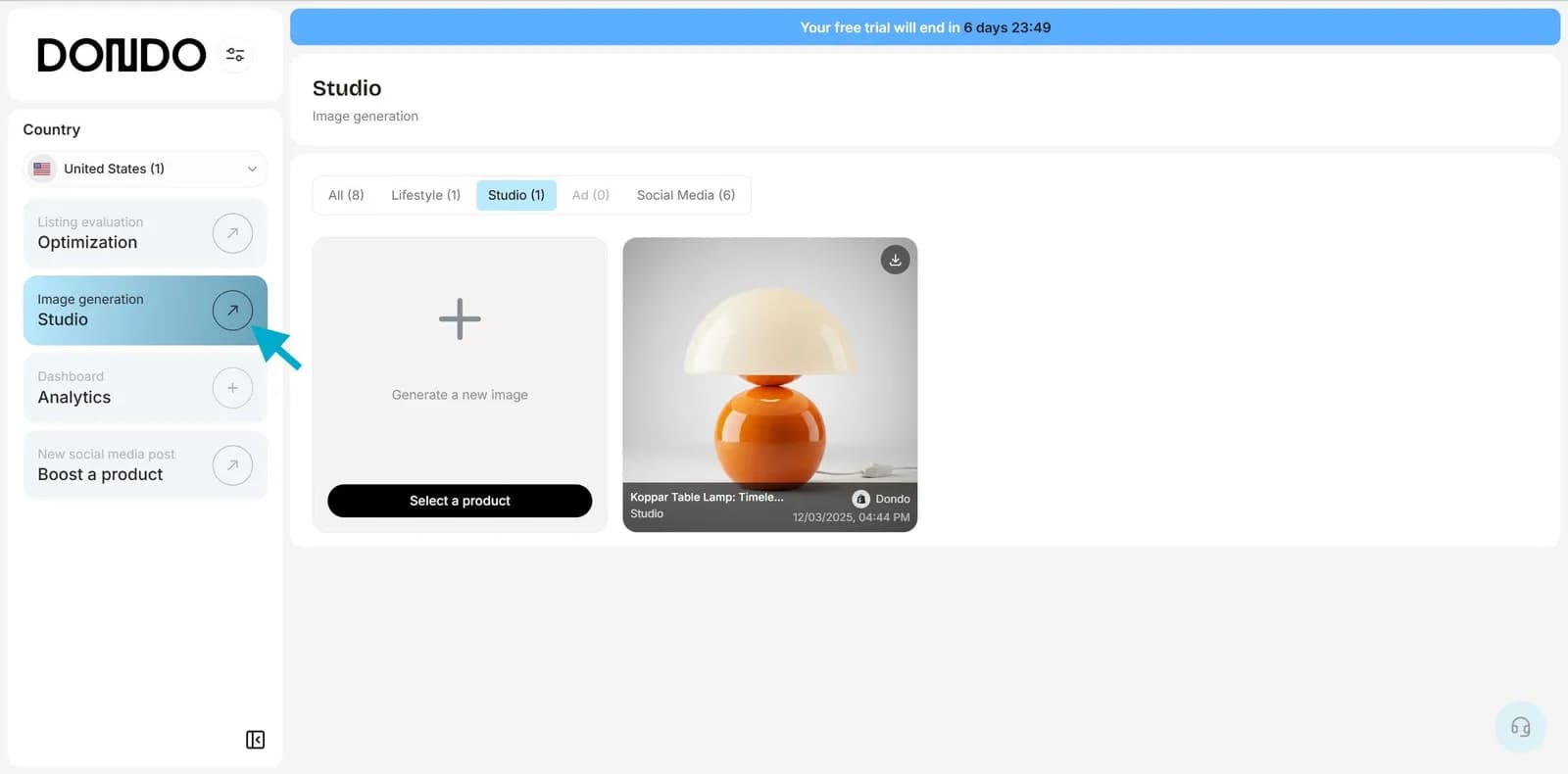
1. Go to your dashboard and click Studio in the left menu.
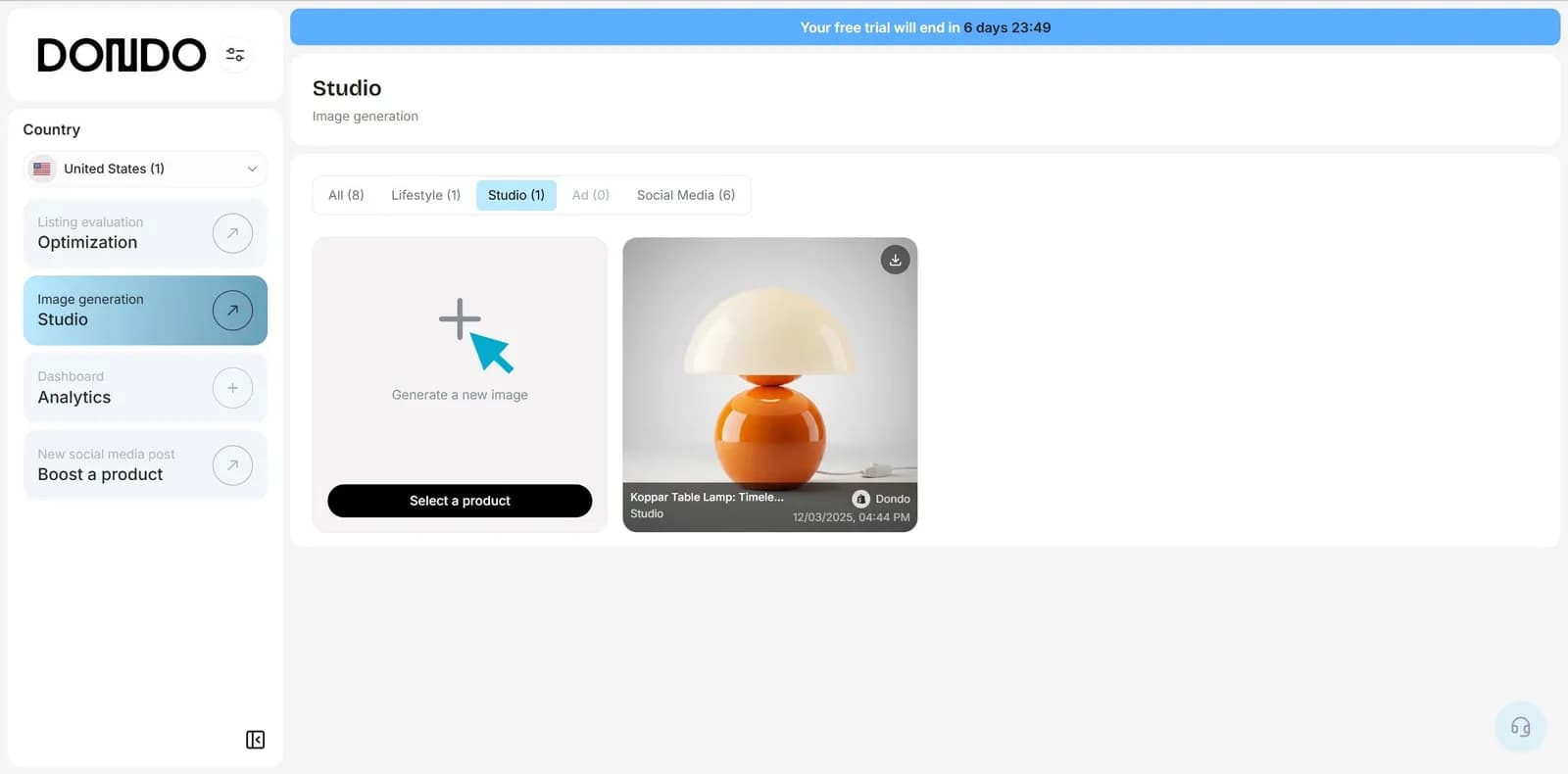
2. Click "Generate a new image"
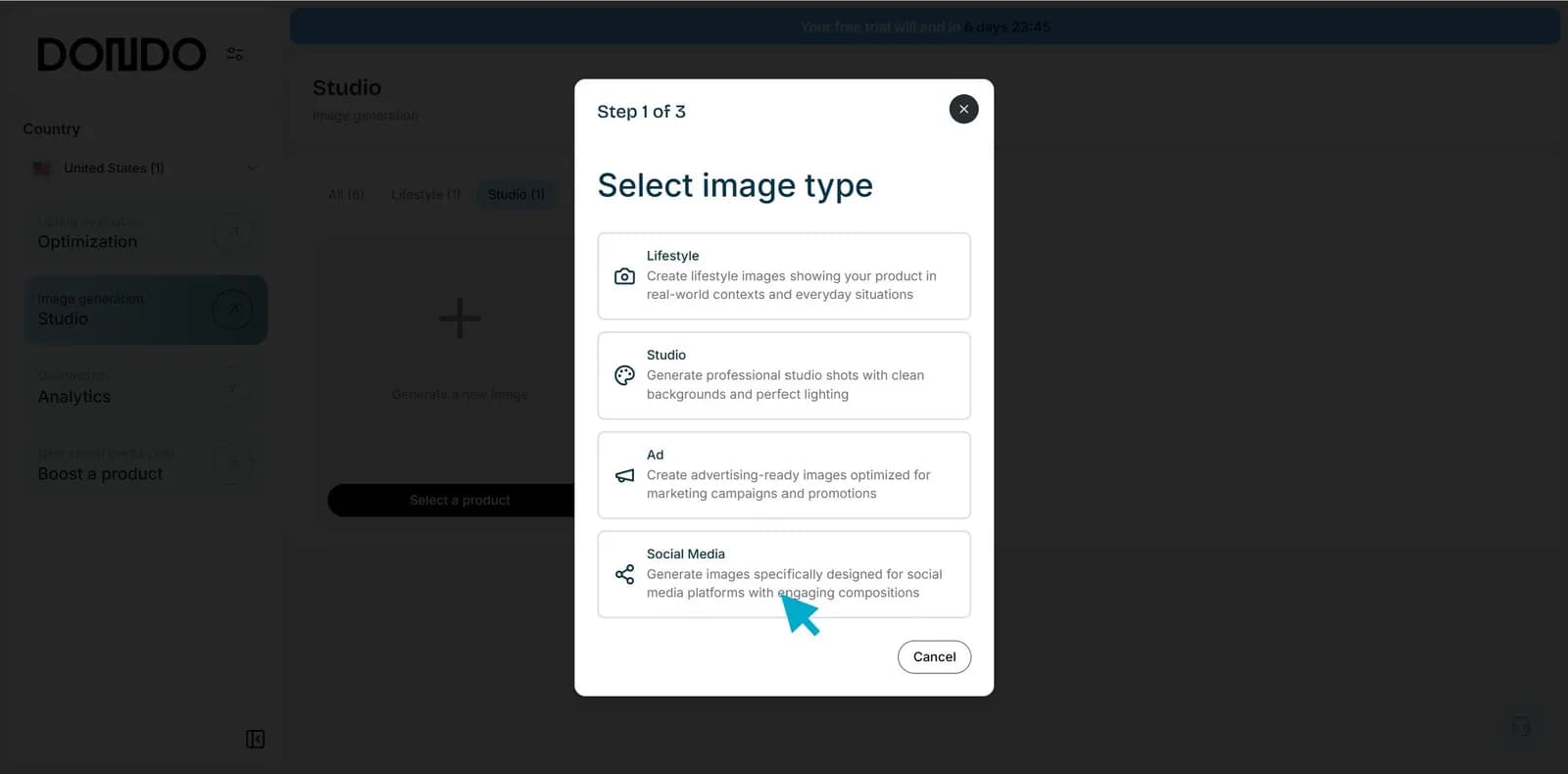
3. Choose Social Media as the image type.
4. Select the product you want to generate an image for and click "Generate"
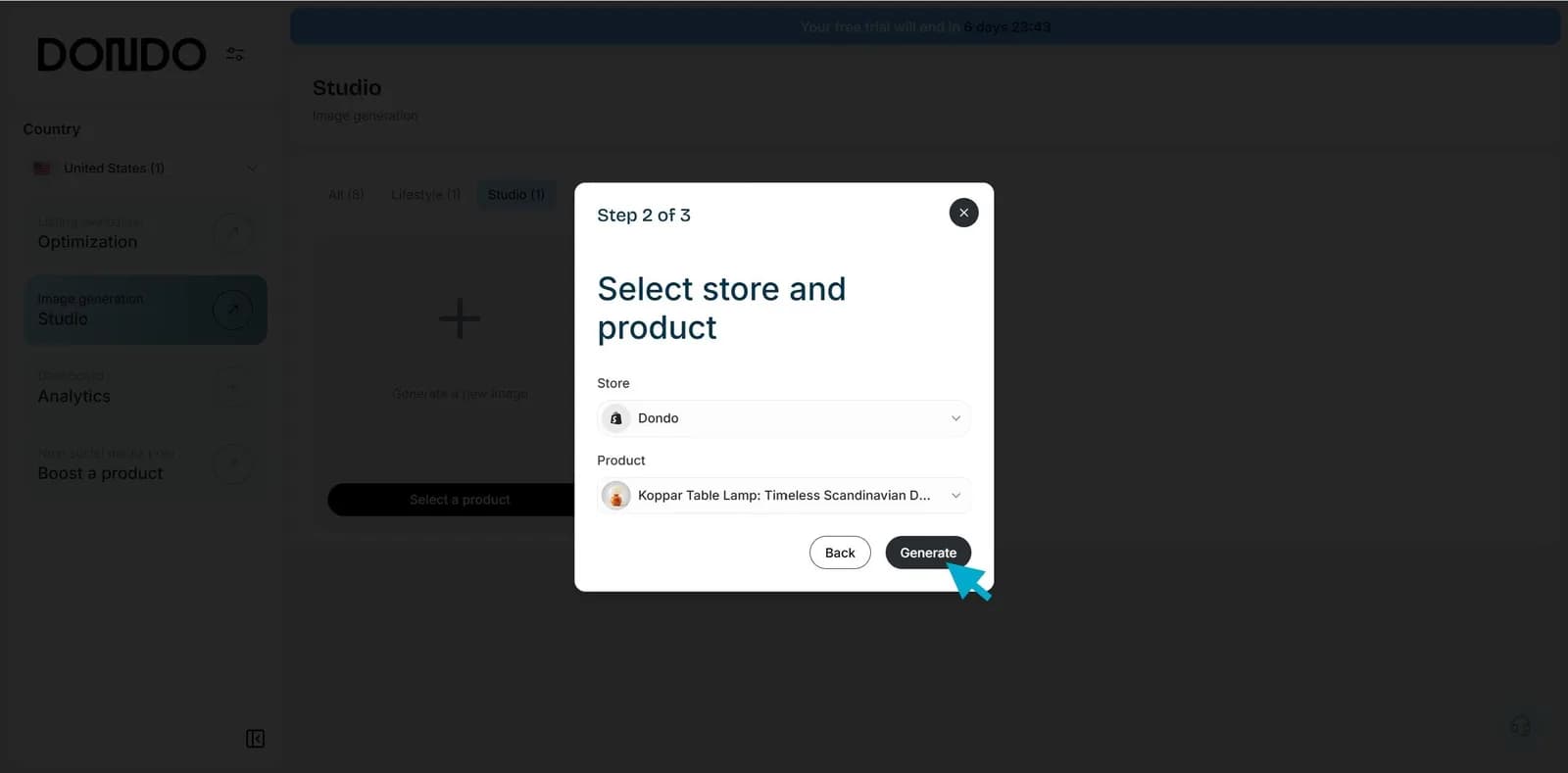
Your social media product images will be ready in seconds: visually appealing, consistent with your brand, and optimized for each platform.
Start creating great social media images that engage users and drive sales. Try Dondo Studio free today.
The Copywriter can do this for your store.
Rewrites titles, descriptions and bullets from what shoppers search.
Score my products freeRelated Posts
 Ecommerce and Dropshipping Guide
How to adapt one product for different sales channels
Keep one verified set of product facts while adapting titles, descriptions, attributes, and images for each store or marketplace. Follow a worked example.
5 min read
 Ecommerce and Dropshipping Guide
How to choose your first products to improve with Dondo
Turn your first Analyst findings into a manageable product group. Weigh business importance, verified content gaps, stock, and facts you still need to confirm.
5 min read
 Ecommerce and Dropshipping Guide
Measure SEO changes after editing a group of product pages
Build a small product-page measurement worksheet using Search Console and store analytics. Compare a baseline, inspect query changes, and keep attribution limits clear.
6 min read
 Ecommerce and Dropshipping Guide
Product facts that answer specific AI shopping questions
Work through variant, compatibility, and use-case questions to find the product facts your catalog needs before you draft clearer copy for shoppers and AI search.
5 min read