The simpler, the better: Metrics that matter for Product Listings
Optimizing a listing doesn’t have to be complicated: here are the key metrics to improve its performance.
 By Parker Irving5 min read
As a borderline data fanatic, I’ve often been guilty of going way too deep and into the weeds to try to analyze every single eCommerce metric available to improve sales. Over the years I found out that while improving a metric can be very difficult, figuring out what you need to improve should be pretty simple.
That’s why I’ve put together a list of the five most important metrics to look at when analyzing your product listings and identifying areas for improvement. The way the list works is a funnel, when you have one step down, you can proceed to the next one, but otherwise, focus on the current metric at hand that needs to be improved.
Metrics that matter for Product Listings
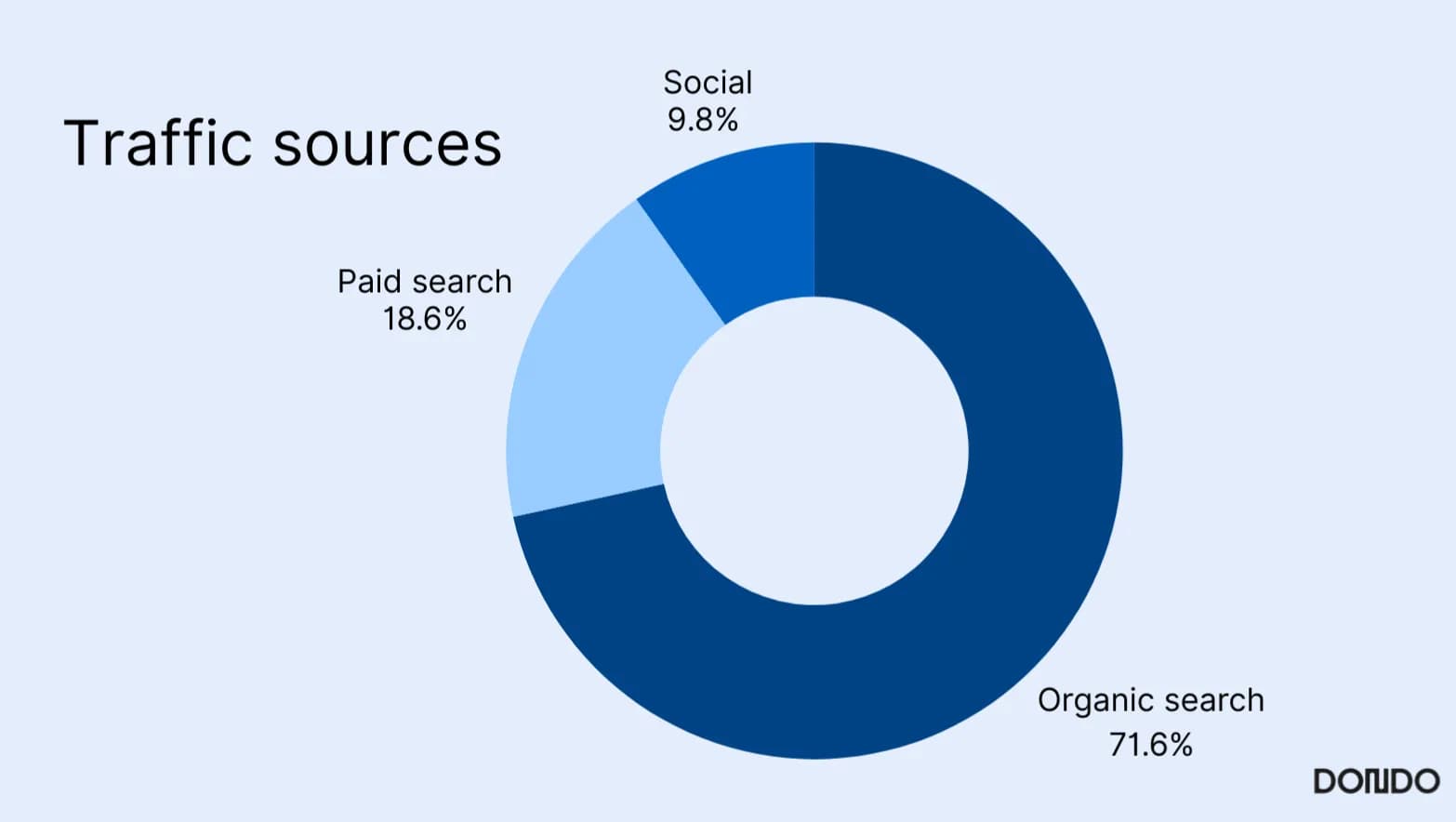
Step 1: Analyze Organic/Paid Search Traffic
While somewhat obvious, no product listing is going to sell if it’s not being seen by potential customers. Organic search traffic indicates how many visitors land on your product pages through unpaid search results. This metric reflects the effectiveness of your product page SEO (Search Engine Optimization), which is highly dependent on your metadata and having up-to-date keywords (the more trendy the better).
While it’s best to not rely heavily on paid traffic, SEO work often takes up to 3-6 months to show visible effects, which is why it’s a good rule of thumb to spend some ad dollars targeting your audience early on. Expected costs vary based on country and industry, but the most important metric to watch is your cost per thousand impressions (CPM). If your CPM is cheaper than your industry/regional average, you’re on the right track (the lower the better).
Step 2: Analyze Click-Through Rate (CTR)
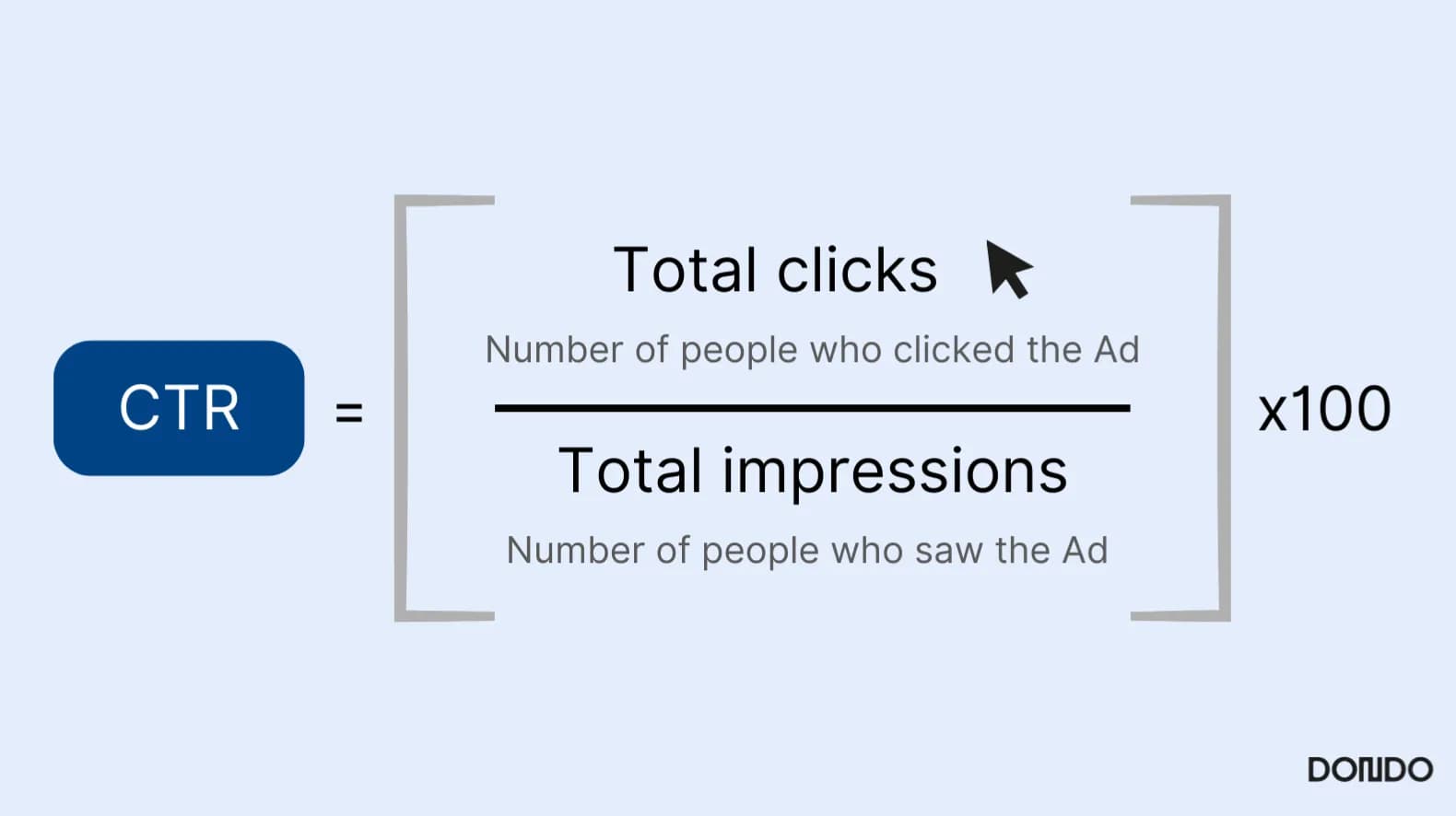
Your CTR measures the percentage of people that clicked on your product after seeing it in the search results (applicable for both paid and organic traffic and any product in your store). A high CTR indicates that your product title, description-snippet, and visuals are compelling.
While Google SERP (Search Engine Results Page) visibility affects how often your listing is seen, it’s your listing’s content—titles, images, and meta descriptions—that influences CTR. Industry average CTRs vary widely, but if you’re above 2-3% for paid ads and well higher for organic traffic you can start moving forward to the following steps.
Step 3: Analyze Bounce Rate
In Google Analytics 4, bounce rate is the percentage of sessions that do not meet the engagement criteria. An engaged session lasts longer than 10 seconds, records a key event, or includes at least two page or screen views. A single-page visit can still be engaged. See the Google Analytics definition.
Compare similar pages using the same measurement settings. A high bounce rate warrants investigating speed, relevance, and navigation; it does not establish the cause or imply a universal target.
GA4 bounce rate = non-engaged sessions ÷ total sessions × 100.
The Copywriter can do this for your store.
Rewrites titles, descriptions and bullets from what shoppers search.
Score my products freeStep 4: Analyze Conversion Rate
This example uses session purchase rate: the percentage of sessions in which a purchase is recorded. Other reports use users as the denominator or count different events; check the definition before comparing rates.
Improving a conversion rate has to do with optimizing the entirety of a listing: ensuring you have great images that showcase your product well, an informative and detailed description of your product, formatting that adds trust, a clear call-to-action that will help drive purchase intent (e.g. buy now! or sale until! etc), and other factors. Doing that work manually is ridiculously time-consuming (speaking from experience) and challenging but conversion rate optimization software can help lessen the load.
Session purchase rate = sessions containing a purchase ÷ total sessions × 100. Count a session once even if it contains more than one order. Use the same reporting period and landing-page segment for both counts.
Step 5: Analyze Average Order Value (AOV)
AOV tracks the average amount spent per transaction. This helps you understand customer purchasing behavior and identify revenue growth opportunities through cross-selling, upselling, or bundling products.
While your AOV is very important, it’s more relevant for overall business health when compared to your costs and is more valuable for long term projections than instant analysis. That being said, AOV provides quick insights into how well your listings encourage additional purchases.
Average order value (AOV) = order revenue ÷ number of orders. This is a currency amount, not a percentage. Use the same period and a consistent policy for taxes, shipping, discounts, and refunds.
An Easier Solution
Analyzing and improving your listings can feel daunting at times, but by using AI solutions like Dondo it doesn’t have to be overwhelming.
Dondo helps you analyze your listing performance by letting you upload as many products or stores as you want and providing detailed score reports that show what’s working and what needs improvement—covering SEO, descriptions, CTAs, images, titles, keywords, and more. While that analysis provides a base, with Dondo you don’t have to stress about manual improvements either, our platform can automatically optimize every product in your inventory and post it directly to your store.
Try it out today for free or if you’re curious to see how it works, feel free to reach out at parker@dondo.com.
The Copywriter can do this for your store.
Rewrites titles, descriptions and bullets from what shoppers search.
Score my products freeRelated Posts
 Ecommerce and Dropshipping Guide
How to adapt one product for different sales channels
Keep one verified set of product facts while adapting titles, descriptions, attributes, and images for each store or marketplace. Follow a worked example.
5 min read
 Ecommerce and Dropshipping Guide
How to choose your first products to improve with Dondo
Turn your first Analyst findings into a manageable product group. Weigh business importance, verified content gaps, stock, and facts you still need to confirm.
5 min read
 Ecommerce and Dropshipping Guide
Measure SEO changes after editing a group of product pages
Build a small product-page measurement worksheet using Search Console and store analytics. Compare a baseline, inspect query changes, and keep attribution limits clear.
6 min read
 Ecommerce and Dropshipping Guide
Product facts that answer specific AI shopping questions
Work through variant, compatibility, and use-case questions to find the product facts your catalog needs before you draft clearer copy for shoppers and AI search.
5 min read